Blacklist Lookup
Inserisci un URL
Controllo Blacklist
Se un dominio o un IP finisce in una blacklist di sicurezza o di spam, i danni si vedono rapidamente: avvisi del browser, email che finiscono nello spam, traffico perso e minore fiducia.
Questo strumento gratuito verifica se un sito web, un dominio o un IP compare in database di blacklist noti. Usalo per il tuo sito, per un mail server o per qualsiasi indirizzo tu stia valutando.
Come eseguire un controllo
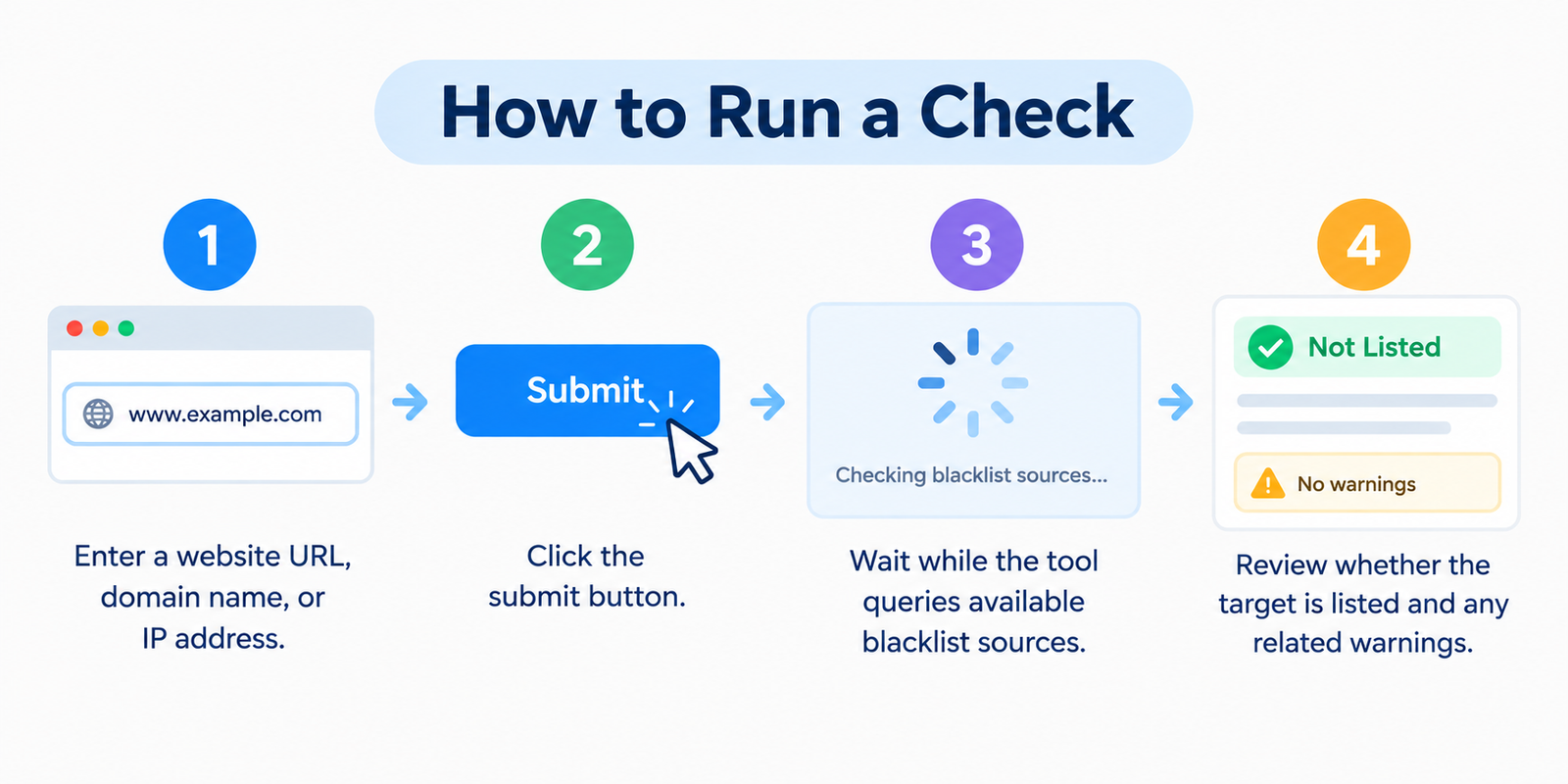
- Inserisci l'URL di un sito web, un nome di dominio o un indirizzo IP
- Fai clic sul pulsante di invio
- Attendi mentre lo strumento interroga le fonti di blacklist disponibili
- Verifica se l'obiettivo è presente in elenco e se ci sono avvisi correlati
Esegui nuovamente il controllo dopo la pulizia o dopo modifiche importanti al server — lo stato può cambiare nel tempo.
Cos'è effettivamente una Blacklist
Le blacklist sono database gestiti da aziende di sicurezza, provider di posta elettronica e servizi di threat-intelligence. Segnalano indirizzi collegati a:
- Malware o siti compromessi
- Pagine di phishing
- Server che inviano spam
- Comportamenti di rete abusivi
- Altre attività ad alto rischio
Quando un indirizzo viene inserito in elenco, i browser, i sistemi di posta elettronica, i firewall o i filtri di hosting potrebbero considerarlo non sicuro. Questa protezione aiuta gli utenti — ma danneggia i proprietari legittimi i cui siti sono stati compromessi o configurati male.
Perché si finisce in blacklist (anche per i siti “buoni”)
| Causa | Cosa va storto di solito |
|---|---|
| Sito web compromesso | Script iniettati, pagine di spam o download di malware |
| Spam dal server | Account di posta compromesso o open relay |
| Contenuti di phishing | Pagine di login o di pagamento fittizie ospitate sul dominio |
| Reindirizzamenti dannosi | Visitatori inviati a destinazioni dannose |
| Problemi di IP condiviso | Un altro sito sullo stesso IP fa scattare l'inserimento in blacklist |
| Software non aggiornato | CMS, plugin o temi non aggiornati e sfruttati da attacchi |
Molti proprietari scoprono di essere in una blacklist solo dopo un calo del traffico o quando i clienti dicono “le vostre email finiscono nello spam”.
Cosa viene influenzato
Ricerca e browser
I sistemi di sicurezza (inclusi gli avvisi in stile Google Safe Browsing) possono mostrare avvisi a schermo intero. Gli utenti se ne vanno. Il posizionamento e il comportamento di scansione possono risentirne finché il problema non viene risolto e verificato.
Consegna delle email
Se l'IP o il dominio di invio si trova in una blacklist di spam, i messaggi tornano indietro o finiscono nella cartella della posta indesiderata — un problema serio per la posta aziendale e il marketing.
Hosting e accesso
Alcune reti e filtri aziendali bloccano completamente le destinazioni presenti in blacklist.
Reputazione
Una volta che i visitatori vedono un avviso, la fiducia è difficile da riconquistare anche dopo che il problema tecnico è stato risolto.
Segnali d'allarme da verificare immediatamente
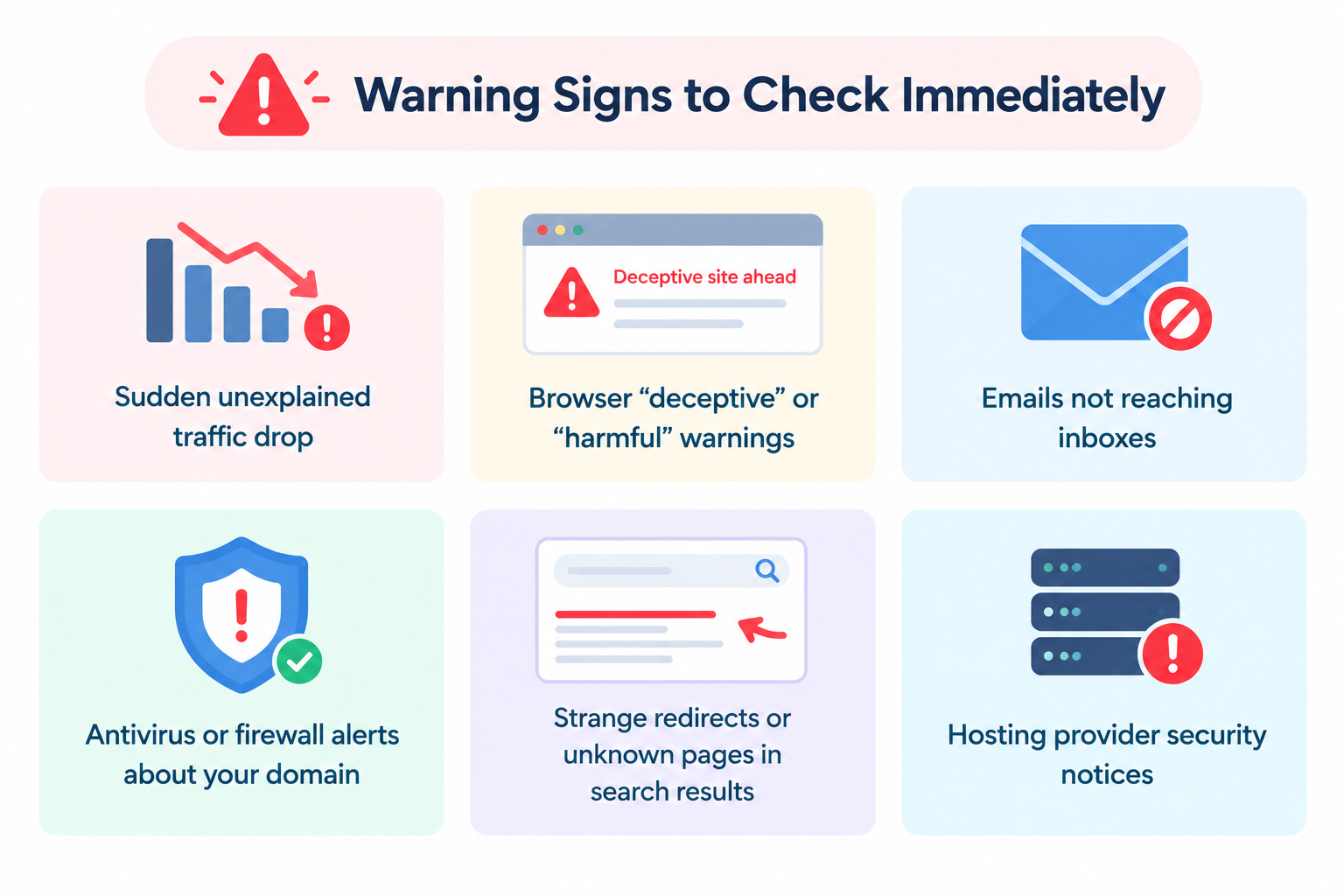
- Improvviso calo di traffico inspiegabile
- Avvisi del browser di tipo “ingannevole” o “dannoso”
- Email che non arrivano nella posta in arrivo
- Avvisi dell'antivirus o del firewall sul tuo dominio
- Reindirizzamenti strani o pagine sconosciute nei risultati di ricerca
- Avvisi di sicurezza del provider di hosting
Se compare uno di questi segnali, esegui un controllo delle blacklist e una scansione antimalware lo stesso giorno.
Se sei in blacklist: Percorso pratico di recupero
- Conferma l'inserimento — prendi nota di quali elenchi sono coinvolti
- Risolvi la causa principale — rimuovi il malware, chiudi i vettori di spam, sistema i reindirizzamenti, aggiorna il software, cambia le password
- Proteggi il sito — applica patch, riduci la superficie di attacco, implementa un controllo degli accessi più forte
- Richiedi la rimozione / revisione — la maggior parte dei principali elenchi richiede una richiesta di pulizia dopo che il problema è stato risolto
- Esegui un nuovo controllo — verifica che l'elenco si sia pulito e monitora la situazione per un po'
La sola pulizia dei file non è sempre sufficiente. Molti provider rimuovono un indirizzo dalla blacklist solo dopo una revisione formale.
Prevenzione che funziona davvero
- Mantieni aggiornati CMS, temi e plugin
- Usa password complesse e uniche e l'autenticazione a due fattori (2FA) dove possibile
- Preferisci l'HTTPS e un hosting affidabile
- Limita i plugin non necessari e gli open mail relay
- Monitora la Search Console (e strumenti simili) per gli avvisi di sicurezza
- Conserva backup recenti in modo che il recupero sia possibile
- Controlla periodicamente la reputazione del dominio e dell'IP di invio
La prevenzione è più economica di una pulizia di emergenza.
FAQ
Questo strumento di controllo delle blacklist è gratuito?
Sì. Puoi effettuare controlli senza creare un account.
Un risultato pulito significa che il sito è sicuro al 100%?
No. Significa che non è stata trovata alcuna corrispondenza nelle fonti controllate in quel momento. Nuove minacce possono comparire in seguito.
Un sito Web legittimo può finire in una blacklist?
Sì. I siti compromessi sono una causa comune.
La correzione del malware cancellerà automaticamente ogni blacklist?
Non sempre. Di solito è necessario richiedere la rimozione dopo la pulizia.
Dovrei controllare il dominio e l'IP separatamente?
Sì, quando possibile. Gli elenchi dei domini e quelli degli IP non sono sempre gli stessi.
Strumenti correlati
Nota: I dati delle blacklist provengono da database di sicurezza e di spam di terze parti. I risultati potrebbero subire ritardi rispetto alle condizioni in tempo reale. In caso di infezione confermata, pulisci a fondo il sito e segui il processo di revisione di ciascun provider.