URL Encoder / Decoder
Enter the text that you wish to encode or decode:
URL Encoder & Decoder
Need to make a URL safe to use — or turn an encoded link back into readable text? Paste your text or URL below, choose encode or decode, and get the result instantly. Handy for developers, marketers, and anyone working with links that contain spaces or special characters.
How to Use It
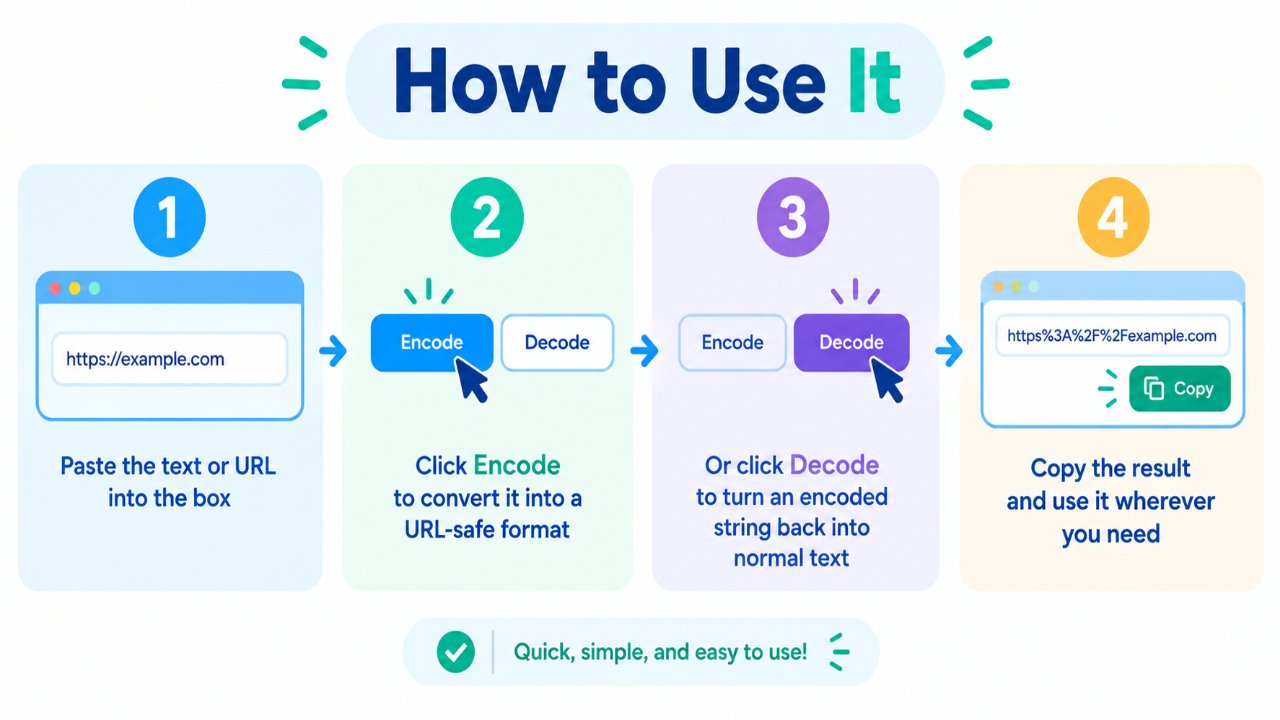
- Paste the text or URL into the box
- Click Encode to convert it into a URL-safe format
- Or click Decode to turn an encoded string back into normal text
- Copy the result and use it wherever you need
No account required.
Why URLs Need Encoding
URLs can only safely use a limited set of characters. Spaces, symbols, and many non-English characters can break links or cause unexpected behavior if they’re left as-is.
Encoding replaces those characters with a safe format (for example, a space becomes %20).
Decoding reverses the process so the text is readable again.
Example:
- Original:
https://example.com/search?q=best seo tools - Encoded:
https://example.com/search?q=best%20seo%20tools
When This Tool Is Useful
Building query strings
When you add parameters to a URL, encoding keeps them valid.
Sharing or storing links
Some systems break if a link contains spaces or special symbols.
Reading encoded URLs
If you receive a long %-style link, decoding makes it readable again.
Development and testing
Quickly encode or decode strings while working on forms, redirects, APIs, or tracking links.
Fixing broken-looking links
Sometimes a copied URL looks messy because it was encoded. Decoding shows the original text.
Encode vs Decode (Quick Difference)
| Action | What it does |
|---|---|
| Encode | Converts special characters into URL-safe format |
| Decode | Converts encoded characters back into normal text |
Use encode when you’re preparing a URL.
Use decode when you’re trying to read one.
A Few Practical Tips
- Encode only the parts that need it (often the query values), not always the entire URL structure
- Don’t double-encode the same string unless you really mean to
- After decoding, check that the result still looks like a valid URL if you plan to use it as a link
- Be careful with sensitive data — encoding is not encryption
Encoding is about compatibility, not security.
Frequently Asked Questions
Is this tool free?
Yes. You can encode and decode without signing up.
Is URL encoding the same as encryption?
No. Encoding only makes text safe for URLs. It does not hide or secure data.
Why do I see %20 and similar codes?
Those are encoded characters. %20 is a common example for a space.
Can I encode any text, not just URLs?
Yes. Many people encode query values, parameters, or other strings that will be placed inside a URL.
Will encoding change how the page works?
When done correctly, the server still understands the encoded values. The goal is to keep the link valid while preserving the original meaning.
Related Free Tools
Note
This tool performs standard URL encoding and decoding for convenience. Always verify important links after converting them, especially in production systems.