Find DNS records
Введите URL
Поиск DNS-записей
DNS — это интернет-справочник.
Он связывает доменное имя с серверами, которые обслуживают веб-сайт, электронную почту и сопутствующие службы.
Этот бесплатный инструмент поиска DNS показывает общедоступные записи, настроенные для домена, чтобы вы могли проверить настройки, устранить неполадки или изучить базовую инфраструктуру.
Поиск домена
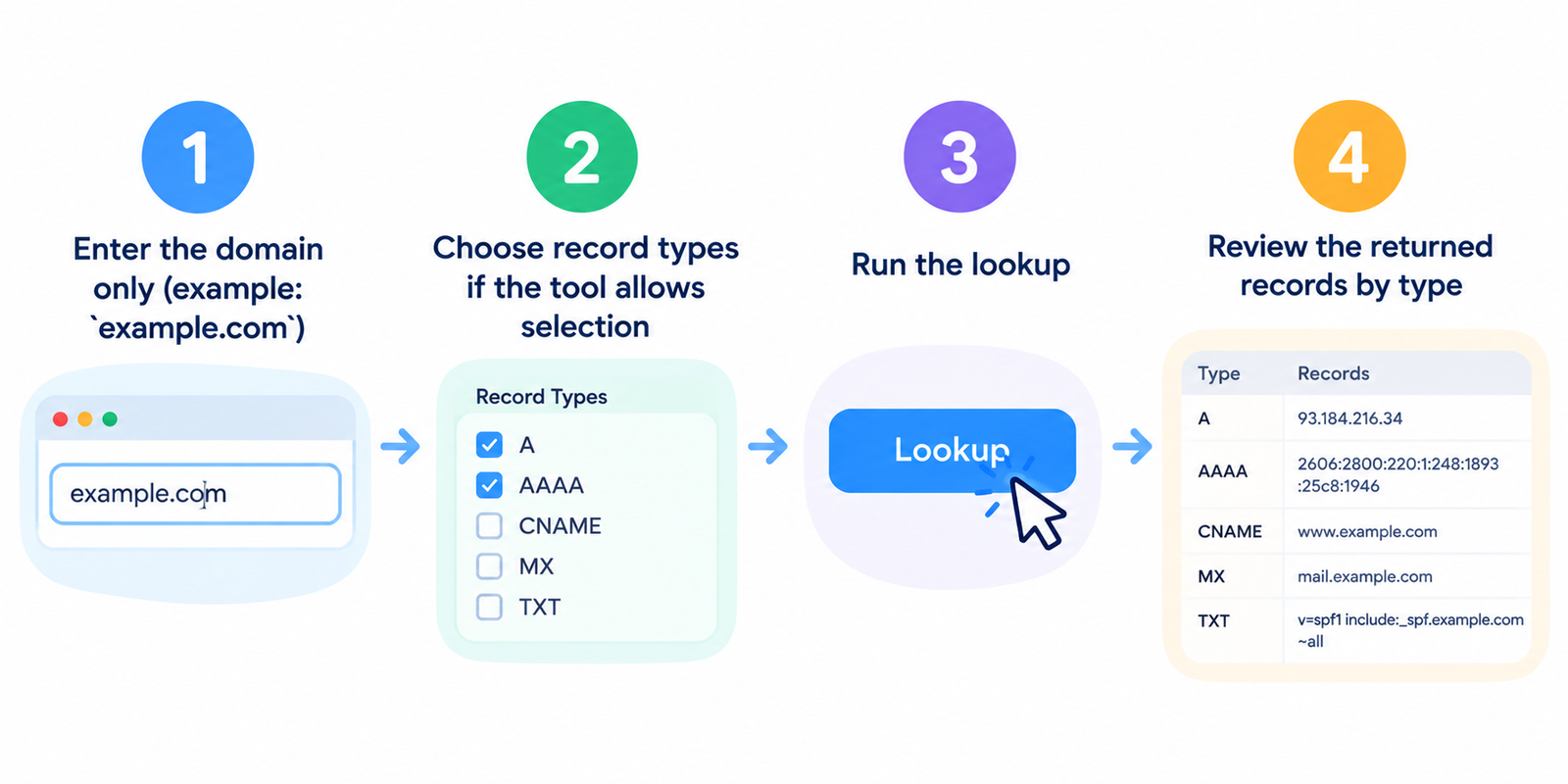
- Введите только домен (пример:
example.com) - Выберите типы записей, если инструмент позволяет сделать выбор
- Запустите поиск
- Просмотрите возвращенные записи по типам
Вы также можете проверять поддомены, такие как www.example.com или mail.example.com.
Описание типов записей
| Запись | Назначение |
|---|---|
| A | Связывает домен с IPv4-адресом |
| AAAA | Связывает домен с IPv6-адресом |
| MX | Указывает почтовым системам, куда доставлять письма |
| CNAME | Создает псевдоним (алиас) для другого имени хоста |
| TXT | Хранит текстовые данные (SPF, подтверждение прав, политики) |
| NS | Содержит список авторитетных серверов имен |
| SOA | Информация об авторитетности зоны и параметрах времени |
Для разных проблем требуются разные записи. Проблемы с почтой начинают проверять с MX/TXT. Проблемы с доступностью сайта обычно начинают проверять с A/AAAA/CNAME.
Для чего используется каждый тип поиска
Сайт загружается некорректно
Проверьте записи A/AAAA. Убедитесь, что домен указывает на ожидаемый IP-адрес сервера.
Проблемы с доставкой почты
Сначала проверьте записи MX, затем записи TXT для SPF (и связанные записи аутентификации).
После миграции
Убедитесь, что DNS больше не указывает на старый хостинг и что новые записи обновились.
Настройка CDN или стороннего сервиса
Записи CNAME часто показывают подключения к Cloudflare, почтовым провайдерам или сторонним платформам.
Проверка владения / контроля DNS
Записи NS показывают, какие системы в настоящее время контролируют зону DNS домена.
Как читать типичные результаты
- Несколько записей A могут означать балансировку нагрузки или настройку с несколькими серверами
- Приоритеты записей MX имеют значение — меньшие значения проверяются первыми
- CNAME для www является обычной практикой; конечный пункт назначения по-прежнему зависит от целевого хоста
- TXT с
v=spf1обычно указывает на настройку политики почты SPF - Отсутствие MX обычно означает, что домен не настроен для приема почты
- NXDOMAIN означает, что имя не существует в DNS
Изменения DNS не всегда происходят мгновенно. Распространение (пропагация) и кэширование могут вызывать задержки в том, что видят разные сети.
Порядок устранения неполадок
- Проверьте правильность написания домена
- Проверьте записи NS (кто контролирует DNS?)
- Проверьте записи A/AAAA или CNAME (куда указывает сайт?)
- Проверьте MX/TXT (настроена ли почта?)
- Повторите проверку позже, если вы только что изменили записи
- Используйте инструменты хостинга/IP, если вам нужен контекст инфраструктуры
Если записи выглядят правильно, но сайт по-прежнему не работает, проблема может быть на стороне сервера, а не в DNS.
Часто задаваемые вопросы
Бесплатен ли этот поиск DNS?
Да. Стандартные запросы не требуют создания учетной записи.
Следует ли мне вводить полный URL-адрес или только домен?
Используйте домен или имя хоста. Предпочтительнее example.com, а не длинный URL страницы.
Почему я не вижу запись AAAA?
Многие домены до сих пор используют только IPv4. Отсутствие AAAA является обычным делом и автоматически не считается ошибкой.
Может ли DNS объяснить низкую скорость работы сайта?
Иногда косвенно (например, удаленный хостинг или неверная конфигурация), но скорость также зависит от производительности сервера, веса страницы и настроек CDN.
Обновляются ли результаты сразу после изменения DNS?
Не всегда. Значения TTL и кэш резолверов могут вызывать задержки.
Связанные инструменты
Примечание. Ответы DNS могут различаться в зависимости от резолвера и кэширования. Для критических изменений выполняйте проверку из нескольких источников и учитывайте время на распространение.