What is my Browser
| Tarayıcınız | AppleWebKit |
| Tarayıcı Sürümü | 537.36 |
| İşletim Sisteminiz | |
| User-Agent | Mozilla/5.0 AppleWebKit/537.36 (KHTML, like Gecko; compatible; ClaudeBot/1.0; +claudebot@anthropic.com) |
Tarayıcım Ne?
Tarayıcı ayrıntılarınız yukarıda gösterilmektedir. Bir web sitesini açtığınızda tarayıcınız, sayfaların doğru şekilde görüntülenebilmesi için temel teknik bilgileri paylaşır. Bu sayfa yalnızca bu ayrıntıları okur ve bunları size gösterir.
Bu Sayfanın Algıladıkları
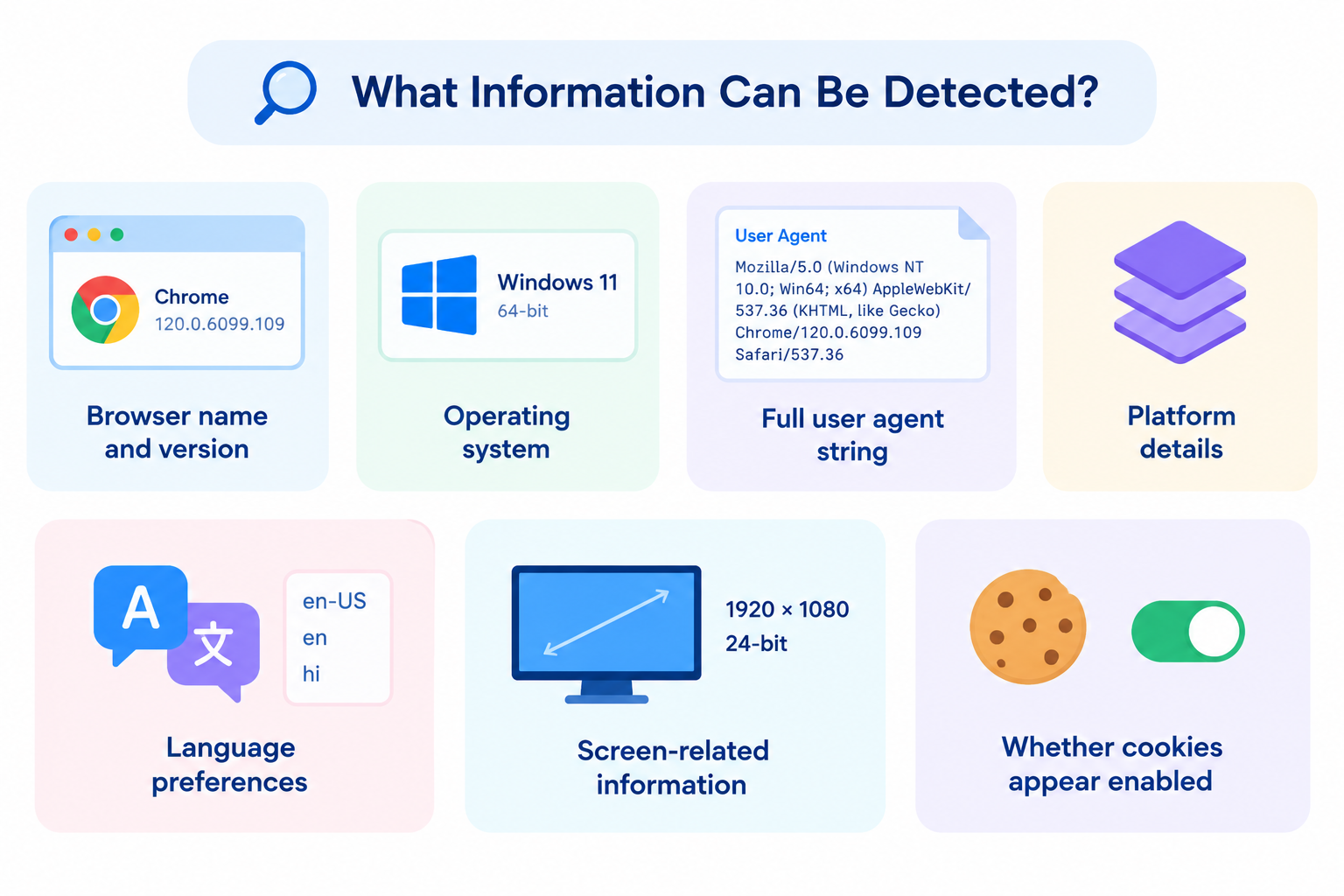
Cihazınıza ve tarayıcınıza bağlı olarak şunları görebilirsiniz:
- Tarayıcı adı ve sürümü
- İşletim sistemi
- Tam kullanıcı aracısı (user agent) dizesi
- Platform ayrıntıları
- Dil tercihleri
- Ekranla ilgili bilgiler
- Çerezlerin etkinleştirilmiş görünüp görünmediği
Bu değerler, bir hesap profilinden veya oturum açma işleminden değil, tarayıcınızın bildirdiği verilerden gelir.
Web Siteleri Bu Bilgileri Neden Kullanır?
Tarayıcı tespiti çoğunlukla pratiktir:
| Amaç | Örnek |
|---|---|
| Uyumluluk | Tarayıcı sürümünüz için desteklenen özellikleri sunma |
| Düzen | Deneyimi mobil ve masaüstü ortamlarına göre ayarlama |
| Dil | Dil ayarlarınızla eşleşen içeriği tercih etme |
| Destek | “Bende sorunsuz çalışıyor” türündeki sorunları teşhis etmeye yardım etme |
| Güvenlik temelleri | Çok eski veya olağandışı istemci ortamlarını işaretleme |
Bu normal bir teknik metadveridir. Adınızı veya e-posta adresinizi bilmekle aynı şey değildir.
Kullanıcı Aracısını (User Agent) Anlamak
Kullanıcı aracısı, tarayıcınızın isteklerle birlikte gönderdiği bir metin dizesidir. Genellikle tarayıcı ve sistem ipuçları içerir ve uzun süredir devam eden uyumluluk alışkanlıkları nedeniyle karmaşık görünebilir.
Örneğin, bazı tarayıcılar geçmiş nedenlerden dolayı daha eski motor adları içerir. Bu her zaman o eski tarayıcıların gerçekten kullanımda olduğu anlamına gelmez.
Bu sayfa, bu dizeyi manuel olarak çözümlemek zorunda kalmamanız için daha anlaşılır alanlara ayrıştırır.
Yararlı Durumlar
Destek ve sorun giderme
Bir site veya uygulama yanlış davrandığında tarayıcı sürümünü hızlıca doğrulayın.
Geliştirme ve Kalite Kontrol (QA)
Hangi istemci ortamının test edildiğini doğrulayın.
Gizlilik farkındalığı
Ziyaret ettiğiniz web siteleri tarafından hangi standart ayrıntıların görülebildiğini görün.
Uyumluluk kontrolleri
Tarayıcınızın minimum sürüm gereksinimini karşılayıp karşılamadığını onaylayın.
Gizlilik Notları (Beklentilerinizi Gerçekçi Tutun)
- Tarayıcı/işletim sistemi ayrıntıları yaygındır ve birçok kullanıcı tarafından paylaşılır
- Diğer sinyallerle birleştirildiğinde parmak izi (fingerprinting) oluşturmaya katkıda bulunabilirler
- Bazı tarayıcılar kasıtlı olarak uyumluluğa uygun kimlikler bildirir
- Uzantılar, gizlilik modları ve güvenlik açısından güçlendirilmiş tarayıcılar neyin ifşa edildiğini değiştirebilir
- Bu sayfa görünürlük içindir — tek başına kimliğinizi gizlemez
IP/konum bilgilerine ihtiyacınız varsa, ayrı bir IP sorgulama aracı kullanın.
SSS
Bir şeye tıklamam gerekiyor mu?
Genellikle hayır. Algılama, sayfa yüklendiğinde gerçekleşir.
Verilerim saklanıyor mu?
İyi oluşturulmuş bir tarayıcı algılama sayfası tarayıcınızda yerel olarak çalışabilir. Yine de herhangi bir web sitesinin standart istek meta verilerini görebileceğini varsayın.
Tarayıcı adım neden yanlış görünüyor?
Bazı tarayıcılar uyumluluk amacıyla kendilerini başka bir tarayıcı gibi gösterir.
Web siteleri bundan daha fazlasını görebilir mi?
Evet. Gelişmiş komut dosyaları, temel kullanıcı aracısı verilerinin ötesinde ek cihaz özelliklerini araştırabilir.
Bir VPN bu sonuçları değiştirir mi?
Bir VPN ağırlıklı olarak ağ/IP kimliğini değiştirir. Tarayıcı ve cihaz ayrıntıları genellikle aynı kalır.
İlgili araçlar
- IP Adresim
- Web Sayfası Ekran Çözünürlüğü Simülatörü
- Sunucu Durumu Denetleyicisi
- Çevrimiçi MD5 Oluşturucu
- URL Kodlayıcı ve Kod Çözücü
Not: Sonuçlar, mevcut tarayıcınızın bildirdiklerini yansıtır. Gizlilik araçları, kimlik gizleme (spoofing) uzantıları veya uyumluluk modları çıktıyı değiştirebilir.