Page Size Checker
Introduce una URL
Comprobador de Tamaño de Página
Esta herramienta gratuita calcula el tamaño de transferencia total de una página web, es decir, el peso combinado de HTML, CSS, scripts, imágenes y otros recursos que el navegador tiene que descargar. Úsala cuando una página se sienta lenta, después de añadir elementos multimedia o durante una revisión básica de rendimiento.
Ejecutar una Verificación Rápida
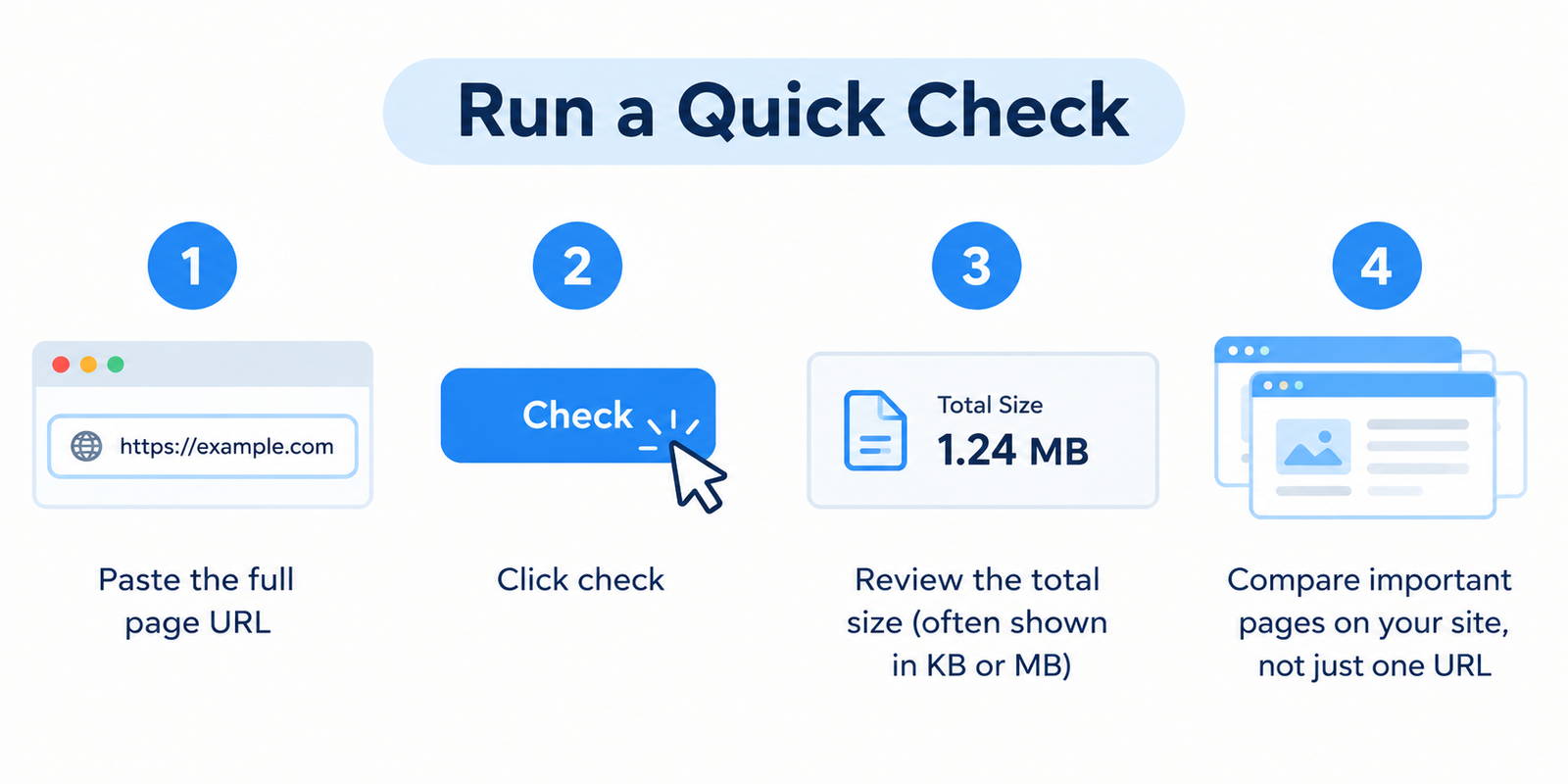
- Pega la URL completa de la página
- Haz clic en comprobar
- Revisa el tamaño total (a menudo se muestra en KB o MB)
- Compara páginas importantes de tu sitio, no solo una URL
Un tamaño grande por sí solo no demuestra que haya un problema, pero es una fuerte señal de que algo puede necesitar optimización.
Qué incluye realmente el “Tamaño de Página”
Cuando alguien abre una URL, el navegador no descarga solo el texto. También extrae:
- Documento HTML
- Hojas de estilo (CSS)
- Archivos JavaScript
- Imágenes e iconos
- Fuentes
- Contenido multimedia incrustado
- Scripts de terceros (analíticas, anuncios, widgets, herramientas de chat)
El tamaño de la página es el total de esos recursos. Las páginas más pesadas suelen tardar más en volverse utilizables, especialmente en redes móviles.
Por qué el peso de la página afecta a los usuarios reales
Las páginas lentas cuestan atención.
Los visitantes en teléfonos, conexiones más débiles o planes de datos limitados sienten el impacto primero. Incluso en Wi-Fi rápido, las imágenes sobredimensionadas y demasiados scripts pueden retrasar la interacción.
Desde una perspectiva empresarial y de SEO, el exceso de peso en la página suele manifestarse como:
- Mayores tasas de rebote
- Experiencia móvil más débil
- Menor conversión en páginas clave
- Mayor dificultad para cumplir con los objetivos de rendimiento (incluidas las métricas relacionadas con los Core Web Vitals)
Los motores de búsqueda no posicionan las “páginas pequeñas” por el simple hecho de serlo, pero la velocidad y la usabilidad importan, y el tamaño de la página es una de las palancas que influye en ambas.
Qué suele hacer que una página sea demasiado pesada
| Causa común | Por qué añade peso |
|---|---|
| Imágenes sin optimizar | Fotos a tamaño completo subidas sin compresión |
| Demasiados scripts | Rastreadores, etiquetas, carruseles y JS no utilizado |
| Incrustaciones de vídeo grandes | Reproducción automática o contenido multimedia de alta tasa de bits |
| Temas o complementos sobrecargados | CSS/JS adicional cargado en cada página |
| Código sin minificar | CSS/JS más grande de lo necesario |
| Múltiples archivos de fuentes | Varios pesos y familias cargados a la vez |
En la práctica, las imágenes y los scripts de terceros son los infractores más frecuentes.
Objetivos de Tamaño Prácticos (Pautas, no reglas)
No existe un número perfecto único para todos los sitios. El contexto importa: un portafolio de fotografía pesará más que un artículo de texto.
Aun así, son directrices de trabajo útiles:
- Mantén las páginas de aterrizaje clave lo más ligeras posible dentro de lo razonable
- Trata las páginas de varios MB como una señal de advertencia a menos que el contenido multimedia sea esencial
- Vuelve a comprobar después de cambios importantes de diseño, complementos o contenido
- Compara tipos de páginas similares (por ejemplo, todas las publicaciones del blog, todas las páginas de productos)
Si una página de producto es drásticamente más pesada que las demás, inspecciona qué se ha añadido.
Cómo reducir el tamaño de la página sin arruinar el diseño
- Comprime y redimensiona las imágenes antes de subirlas; prefiere formatos modernos como WebP cuando sean compatibles
- Carga de forma diferida (lazy-load) las imágenes situadas por debajo de la línea de flotación y el contenido multimedia no crítico
- Elimina los complementos o scripts no utilizados que se cargan en todo el sitio
- Minifica el CSS y el JavaScript y evita cargar bibliotecas que no utilices
- Limita las etiquetas de terceros a aquellas que realmente necesites
- Aloja las fuentes de manera eficiente y carga solo los pesos que utilices
- Audita las incrustaciones — un solo widget pesado puede anular una optimización cuidadosa en otras áreas
Después de cada cambio significativo, vuelve a ejecutar el comprobador en la misma URL.
Tamaño de página frente a Prueba de velocidad completa
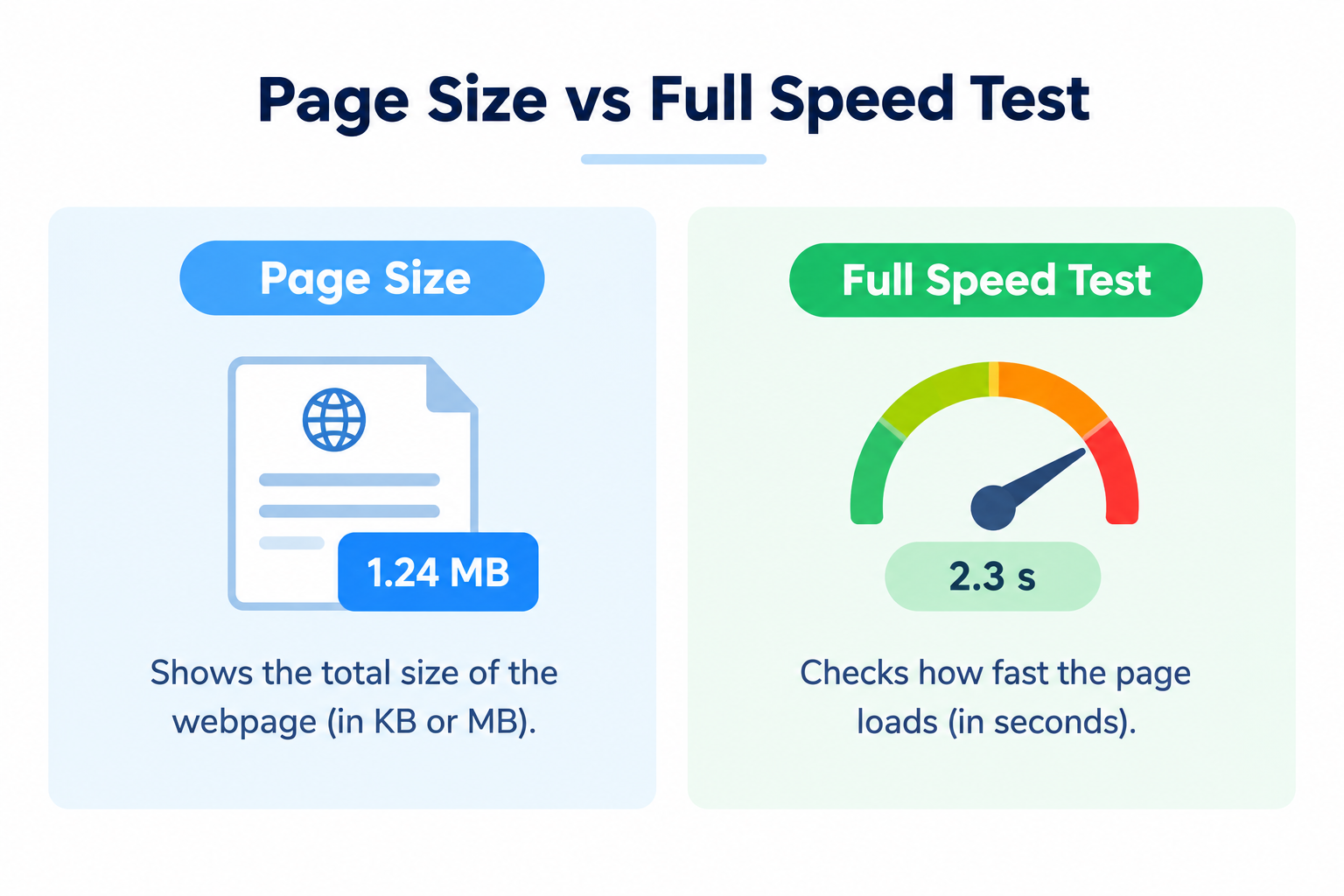
Esta herramienta se centra en lo pesada que es la página.
Una prueba de velocidad completa (datos de laboratorio o de campo) también analiza las métricas de tiempo, renderizado e interacción. Utiliza ambas:
- Comprobador de tamaño de página → encuentra problemas de peso rápidamente
- Herramientas de velocidad / PageSpeed → comprende el tiempo de carga y las métricas centradas en el usuario
El peso suele ser el lugar más fácil para empezar porque las correcciones son concretas.
Preguntas frecuentes
¿Es gratuito el Comprobador de Tamaño de Página?
Sí. No se requiere registro.
¿Una página más pequeña siempre posiciona mejor?
No automáticamente. Las páginas más pequeñas a menudo se cargan más rápido, y un mejor rendimiento puede respaldar el SEO y las conversiones, pero la calidad del contenido y la relevancia siguen importando.
¿Por qué mi página es más grande de lo esperado?
Por lo general, debido a imágenes, vídeos o scripts de terceros. Comprueba qué se ha añadido recientemente.
¿Puedo confiar completamente en una sola medición?
Trátala como una estimación útil. El almacenamiento en caché, el comportamiento de la red de entrega de contenido (CDN) y el contenido dinámico pueden causar pequeñas variaciones.
¿Debería cada página ser lo más pequeña posible?
Busca la eficiencia, no que esté vacía. Mantén los elementos multimedia necesarios; elimina lo superfluo.
Herramientas relacionadas
- PageSpeed Insights Checker
- Server Status Checker
- Webpage Screen Resolution Simulator
- Get Source Code of Webpage
- Link Analyzer Tool
Nota: Los resultados reflejan los recursos detectados en el momento de la comprobación. El contenido cargado dinámicamente y los recursos personalizados pueden cambiar el peso final que experimentan los usuarios en un navegador real.