Code to Text Ratio Checker
Entrez une URL
Vérificateur du ratio code/texte
Une page Web est bien plus que les mots que vous lisez.
Derrière chaque article ou page de produit se trouvent du code HTML, des scripts, des commentaires et du code de modèle. Cet outil gratuit estime quelle part du code HTML d'une page correspond à du texte réel par rapport au code/balisage — un moyen rapide repérer les pages pauvres en contenu ou lourdes en code.
Vérifier une page
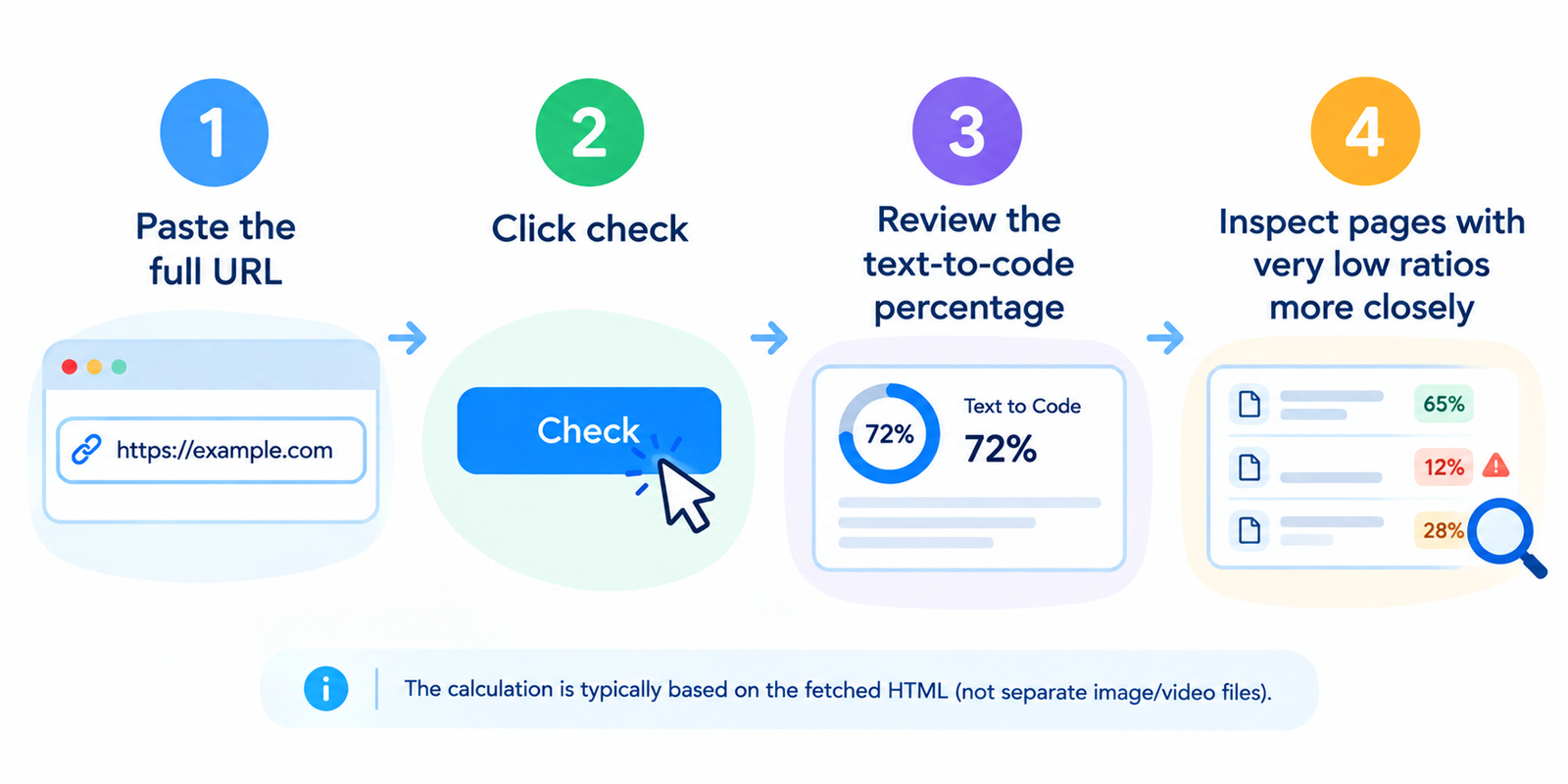
- Collez l'URL complète
- Cliquez sur vérifier
- Examinez le pourcentage de texte par rapport au code
- Inspectez de plus près les pages ayant de très faibles ratios
Le calcul est généralement basé sur le code HTML récupéré (et non sur les fichiers d'images/vidéos séparés).
Comment le ratio est calculé
En termes simples :
Partie texte ÷ taille totale du HTML × 100
L'outil procède généralement ainsi :
- Lit le code HTML de la page
- Supprime les balises, le CSS/JS intégré et les commentaires
- Mesure le contenu textuel restant
- Compare ce contenu à la taille globale du HTML
Un pourcentage plus élevé signifie généralement plus de texte visible par rapport au balisage.
Un pourcentage plus faible signifie souvent que le code HTML est lourd par rapport au contenu lisible.
Comment interpréter les résultats (À titre indicatif uniquement)
| Ratio de texte approx. | Interprétation pratique |
|---|---|
| Très bas | La page peut être surchargée de modèles ou pauvre en contenu |
| Modéré | Fréquent pour les modèles de sites Web normaux |
| Élevé | Pages axées sur le texte (articles, documents, guides longs) |
Il n'y a pas de score de classement Google officiel appelé « ratio code/texte ».
Considérez cela comme un indicateur de diagnostic, et non comme une garantie de classement.
Une page de galerie peut légitimement contenir moins de texte.
Un long article devrait généralement afficher une part de texte plus saine.
Pourquoi de faibles ratios apparaissent
Causes fréquentes :
- Générateurs de pages produisant un balisage profondément imbriqué
- Grandes barres latérales, widgets et blocs de pied de page
- CSS/JavaScript intégré dans le code HTML
- Plusieurs scripts de suivi intégrés dans la page
- Contenu de corps de page mince sous un thème lourd
- Commentaires HTML excessifs ou sections de modèles inutilisées
Sur les sites rendus en JavaScript, le texte important peut se charger après le code HTML initial — ce qui peut faire paraître le ratio pire que sur la page finale visible par l'utilisateur.
Quoi améliorer (sans casser la page)
- Ajoutez du contenu pertinent là où la page est réellement pauvre
- Déplacez le CSS/JS vers des fichiers externes lorsque cela est possible
- Réduisez l'encombrement des widgets dans les barres latérales et les pieds de page
- Simplifiez le balisage des modèles (moins d'imbrications inutiles)
- Minifiez le code HTML et supprimez les commentaires restants
- Conservez les données structurées et le balisage d'accessibilité — ne supprimez pas le code utile juste pour courir après un pourcentage
L'équilibre est primordial. Un code propre associé à un contenu utile surpasse un pourcentage artificiellement élevé.
Meilleurs cas d'utilisation
- Audit rapide d'articles de blog et de pages de destination
- Comparaison d'une refonte avant/après
- Repérage de l'alourdissement des modèles sur les thèmes de CMS
- Vérification si un « long article » est réellement riche en contenu dans le code HTML
- Association avec des vérifications de taille et de vitesse de page pour le nettoyage des performances
Pour une inspection plus approfondie, examinez également le code HTML brut et le poids de la page.
FAQ
Cet outil est-il gratuit ?
Oui. Les vérifications standard ne nécessitent pas de compte.
Le ratio code/texte est-il un facteur de classement direct pour Google ?
Non. Google ne publie aucun facteur de classement sous ce nom. Néanmoins, un contenu creux et des pages lourdes et inefficaces peuvent nuire à l'expérience et aux performances.
Les images comptent-elles dans le ratio ?
Les fichiers d'images en eux-mêmes ne le font généralement pas. Les balises d'images en HTML font partie du code de balisage.
Pourquoi mon ratio est-il bas alors que la page semble riche en texte ?
Le modèle peut inclure beaucoup de code autour du contenu, ou du texte clé peut être injecté par JavaScript après le chargement.
Chaque page doit-elle viser le ratio le plus élevé possible ?
Non. Visez un contenu clair et utile ainsi qu'un balisage efficace — pas un pourcentage cosmétique.
Outils associés
- Vérificateur de taille de page
- Vérificateur de vitesse de page
- Obtenir le code source d'une page Web
- Compteur de mots
- Vérificateur de densité de mots-clés
Remarque : Les résultats dépendent de la réponse HTML initiale. Le contenu rendu par le client, la personnalisation et les requêtes bloquées peuvent affecter la précision.