Code to Text Ratio Checker
Введите URL
Проверка соотношения кода и текста
Веб-страница — это гораздо больше, чем просто слова, которые вы читаете.
За каждой статьей или страницей товара скрываются HTML, скрипты, комментарии и код шаблона. Этот бесплатный инструмент оценивает, какая доля HTML-кода страницы приходится на реальный текст, а какая — на код/разметку. Это быстрый способ выявить страницы с малым количеством контента или перегруженные кодом страницы.
Проверить страницу
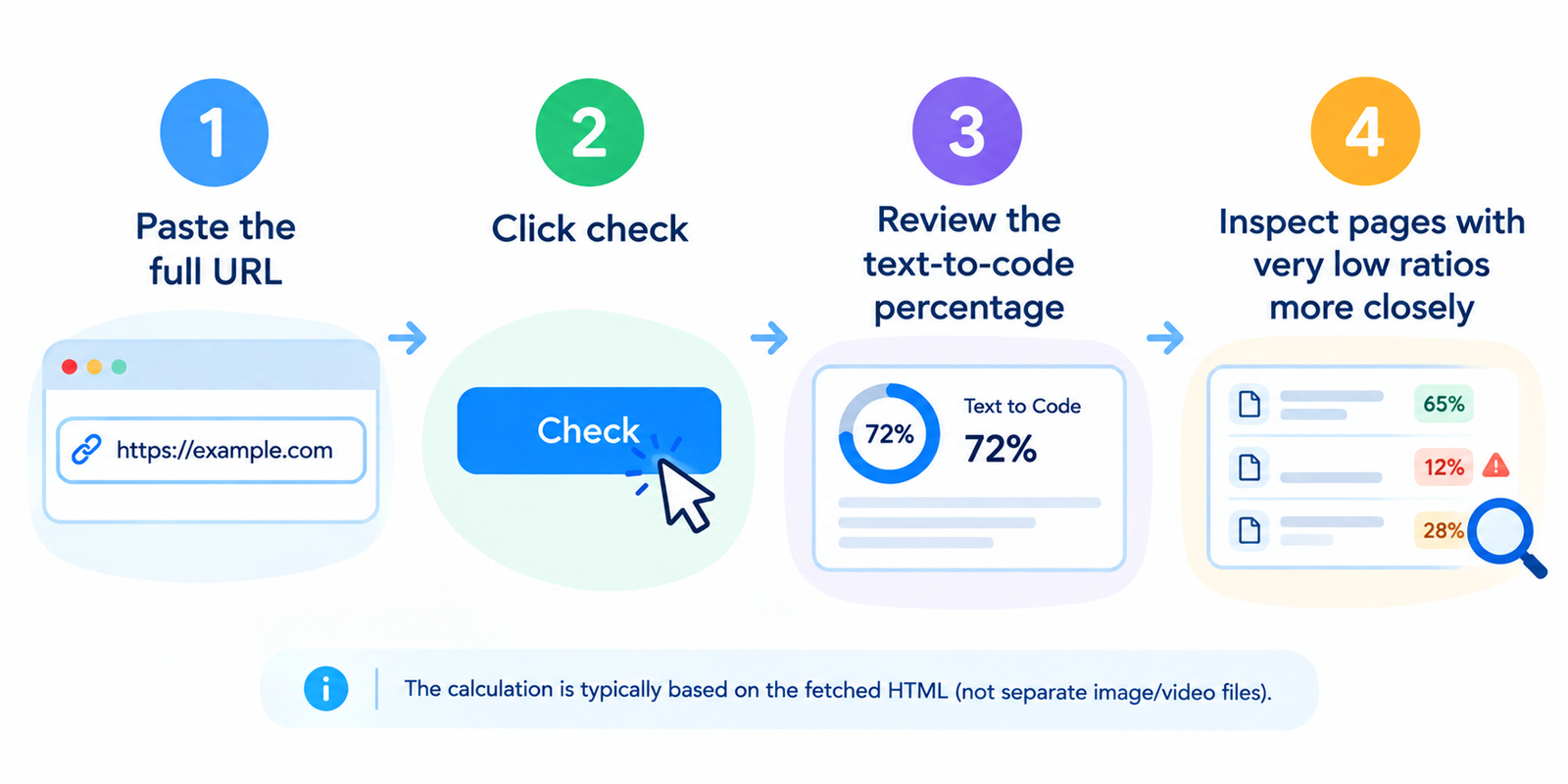
- Вставьте полный URL-адрес
- Нажмите кнопку проверки
- Просмотрите процентное соотношение текста и кода
- Внимательнее изучите страницы с очень низким соотношением
Расчет обычно основывается на загруженном HTML (а не на отдельных файлах изображений или видео).
Как рассчитывается соотношение
Проще говоря:
Объем текста ÷ общий размер HTML × 100
Инструмент обычно выполняет следующие действия:
- Читает HTML-код страницы
- Удаляет теги, внедренные CSS/JS и комментарии
- Измеряет оставшийся текстовый контент
- Сравнивает его с общим размером HTML
Более высокий процент обычно означает больше видимого текста по сравнению с разметкой.
Более низкий процент часто означает, что HTML-код перегружен по сравнению с читаемым контентом.
Как интерпретировать результаты (только рекомендации)
| Примерное соотношение текста | Практическое значение |
|---|---|
| Очень низкое | Страница может быть перегружена шаблоном или содержать мало контента |
| Умеренное | Обычное явление для стандартных шаблонов сайтов |
| Более высокое | Страницы с преобладанием текста (статьи, документация, подробные руководства) |
Не существует официального показателя ранжирования Google под названием «соотношение кода и текста».
Воспринимайте это как диагностический сигнал, а не как гарантию ранжирования.
Страница галереи вполне может содержать меньше текста.
Длинная статья обычно должна демонстрировать более высокую долю текста.
Почему появляются низкие показатели
Распространенные причины:
- Конструкторы страниц, создающие глубоко вложенную разметку
- Большие боковые панели, виджеты и блоки подвала
- Встроенные CSS/JavaScript внутри HTML
- Множество внедренных на страницу кодов отслеживания
- Скудный основной контент под тяжелой темой оформления
- Чрезмерное количество HTML-комментариев или неиспользуемых разделов шаблона
На сайтах, рендеринг которых выполняется с помощью JavaScript, важный текст может загружаться после первоначального HTML, из-за чего соотношение может выглядеть хуже, чем на финальной странице, видимой пользователю.
Что можно улучшить (не ломая страницу)
- Добавьте полезный контент там, где страница действительно бедна им
- Перенесите CSS/JS во внешние файлы, когда это возможно
- Уменьшите количество виджетов в боковых панелях и футере
- Упростите разметку шаблона (меньше ненужной вложенности)
- Минимизируйте HTML и удалите оставшиеся комментарии
- Сохраняйте структурированные данные и разметку доступности — не удаляйте полезный код только ради погони за процентами
Баланс имеет значение. Чистый код плюс полезный контент превосходят искусственно завышенный процент.
Лучшие сценарии использования
- Быстрый аудит публикаций в блоге и целевых страниц (лендингов)
- Сравнение редизайна до и после
- Выявление лишнего веса шаблонов в темах CMS
- Проверка того, действительно ли «длинная статья» насыщена контентом в HTML
- Совмещение с проверкой размера страницы и скорости для оптимизации производительности
Для более глубокого анализа также просмотрите исходный код HTML и вес страницы.
Часто задаваемые вопросы
Бесплатен ли этот инструмент?
Да. Стандартные проверки не требуют создания учетной записи.
Является ли соотношение кода и текста прямым фактором ранжирования Google?
Нет. Google не публикует фактор ранжирования с таким названием. Тем не менее, скудный контент и тяжелые, неэффективные страницы могут ухудшить пользовательский опыт и производительность.
Учитываются ли изображения в этом соотношении?
Сами файлы изображений обычно нет. Теги изображений в HTML являются частью разметки.
Почему у меня низкое соотношение, даже если страница выглядит текстовой?
Шаблон может содержать много кода вокруг контента, либо ключевой текст может добавляться с помощью JavaScript после загрузки.
Должна ли каждая страница стремиться к максимально возможному соотношению?
Нет. Стремитесь к понятному, полезному контенту и эффективной разметке, а не к показушным процентам.
Связанные инструменты
- Проверка размера страницы
- Проверка скорости страницы
- Получить исходный код веб-страницы
- Счетчик слов
- Проверка плотности ключевых слов
Примечание: Результаты зависят от первоначального ответа HTML. Контент, отображаемый на стороне клиента, персонализация и заблокированные запросы могут влиять на точность.