Google Cache Checker


Processing...
Google Cache Checker
Google Cache was once a feature that allowed users to view a stored copy of a webpage from an earlier Google crawl. However, Google has discontinued public cached-page links, and the cache: search operator no longer works.
This page explains what Google Cache was, why it was removed, and which current tools you can use to check whether Google has crawled or indexed a webpage.
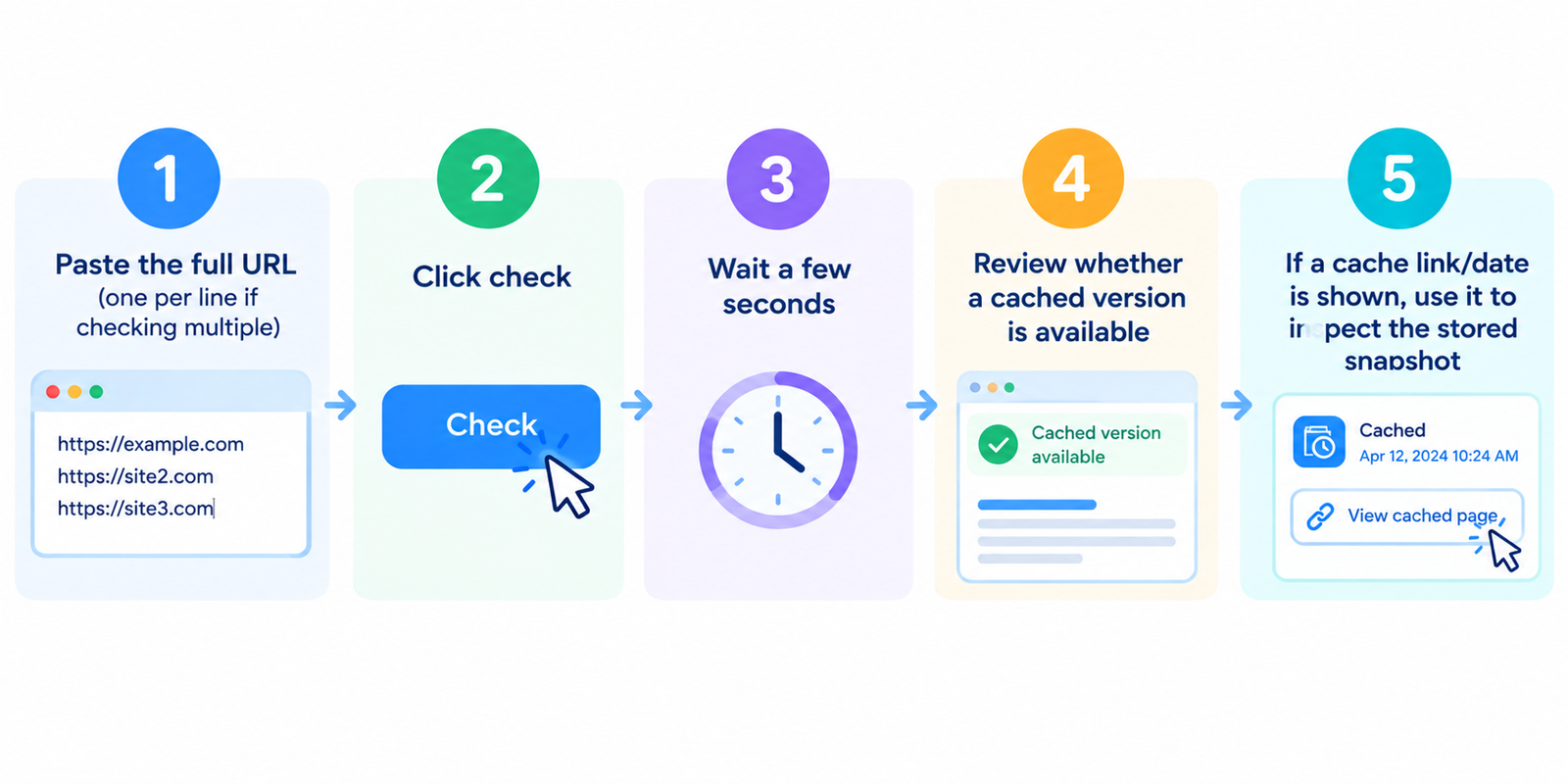
Important: Google Cache Is No Longer Available
Google previously displayed a Cached option beside some search results. This allowed users to open a copy of a page that Google had stored during an earlier crawl.
Google has now retired this public cached-page feature. The old cache: search operator has also been discontinued.
This means that a website cannot reliably be checked for a publicly accessible Google-cached copy anymore.
A missing Google Cache result does not mean that your page is not indexed.
What Was Google Cache?
When Googlebot crawls a webpage, Google processes information from that page for use in its search systems.
In the past, Google sometimes provided users with access to a stored snapshot of the page. This was commonly known as Google Cache.
A cached version could sometimes help users:
- View an older version of a webpage
- Access content when a website was temporarily unavailable
- Compare an older page with its current version
- Understand approximately what Google may have fetched during a previous crawl
However, Google Cache was never a permanent web archive and was not available for every indexed page.
Google Cache vs Crawling vs Indexing
| Term | What it means | Current status |
|---|---|---|
| Live Page | The version currently served by the website | Available |
| Crawled Page | A page that Googlebot has visited and processed | Still part of Google Search |
| Indexed Page | A page eligible to be stored in Google's search index and potentially appear in search results | Still supported |
| Google Cached Page | The old publicly accessible snapshot of a webpage | Public feature discontinued |
Does Google Still Store Information About Crawled Pages?
Google still crawls and processes webpages as part of its search system. What has changed is the public cached-page feature that previously allowed users to open a stored snapshot directly from Google Search.
The removal of Google Cache does not mean that Google has stopped crawling websites.
Googlebot continues to discover, crawl, process, and index eligible webpages.
How to Check Whether Google Has Indexed Your Page
If your real goal is to find out whether Google knows about your page, use current indexing tools instead of checking Google Cache.
1. Google Search Console URL Inspection
For websites that you own, Google Search Console is the preferred method.
- Open Google Search Console
- Select your website property
- Open URL Inspection
- Enter the complete page URL
- Review its indexing information
URL Inspection can provide information about Google's knowledge of the URL and whether the page is indexed.
2. Google Index Checker
You can also use our Google Index Checker for a quick website check.
For authoritative information about a website you own, always verify the result in Google Search Console.
How to Check an Older Version of a Webpage
If you want to find a historical copy of a webpage, Google Cache is no longer the appropriate tool.
You can instead use a dedicated web archive service such as the Internet Archive's Wayback Machine.
A web archive may contain historical snapshots collected over time, although availability varies by website and URL.
Google Cache Is Not the Same as the Wayback Machine
| Feature | Google Cache | Web Archive |
|---|---|---|
| Main purpose | Previously displayed a stored copy associated with Google crawling | Preserves historical versions of webpages |
| Multiple historical versions | Generally no | May contain many snapshots |
| Public availability today | Discontinued | Available when snapshots exist |
How to Encourage Google to Recrawl a Page
If you recently updated a page and want Google to discover the changes, you cannot force an instant crawl, but you can make the page easier for Google to discover and process.
- Make sure the URL returns a normal 200 HTTP status
- Check that the page is not accidentally blocked by
robots.txt - Make sure there is no unintended
noindexdirective - Add useful internal links pointing to the page
- Include the URL in your XML sitemap when appropriate
- Keep the page's content useful and accessible
- Use URL Inspection → Request Indexing in Google Search Console for important updated URLs
Google determines when and how often individual URLs are crawled, so changes may not appear in search results immediately.
What Happened to the cache: Search Operator?
Google previously supported searches such as:
cache:example.com/page
This operator was used to open Google's cached copy of a URL.
The cache: operator has since been discontinued and no longer works in Google Search.
If you find tutorials recommending this command, they are based on Google's older search functionality.
What About the noarchive Meta Tag?
Website owners previously used the following robots directive to prevent Google from displaying a cached copy:
<meta name="robots" content="noarchive">
Because Google's cached-link feature no longer exists, Google Search no longer uses the noarchive rule for this purpose.
Other search engines or services may have different behavior, so you should review their documentation separately if needed.
What to Use Instead of Google Cache
The right alternative depends on what you are trying to check:
- Check Google indexing: Use Google Search Console URL Inspection
- Check basic index visibility: Use our Google Index Checker
- Find an old webpage: Use a dedicated web archive
- Check if a page is currently working: Use a Server Status Checker
- Check crawl restrictions: Review robots.txt and robots meta directives
- Submit important updated pages: Use Search Console's Request Indexing option
FAQ
Does Google Cache still work?
No. Google's public cached-page feature has been discontinued.
Does the cache: operator still work?
No. Google has discontinued the cache: search operator.
Does no Google Cache mean my page is not indexed?
No. Google Cache and Google indexing are different things. The public cache feature is no longer available, while Google's crawling and indexing systems continue to operate.
How can I check whether Google indexed my page?
For a website you own, use the URL Inspection tool in Google Search Console.
Can I recover a deleted webpage from Google Cache?
Google's public cache can no longer be relied upon for recovering deleted pages. You can check a dedicated web archive to see whether an older snapshot exists.
Can I force Google to recrawl my page?
You cannot guarantee an immediate crawl. Website owners can use URL Inspection in Search Console to request indexing and make sure the page is crawlable and properly linked.
Is Google Cache the same as Google's index?
No. Google's index is part of its search system. Google Cache was a separate public feature that displayed stored page snapshots.
Should I remove the noarchive tag?
Google Search no longer uses noarchive to control cached links because the cached-link feature has been discontinued. Other services may still interpret similar directives differently.
Related Tools
- Google Index Checker
- Robots.txt Generator
- XML Sitemap Generator
- Server Status Checker
- Meta Tags Analyzer
Note: Google Cache is a discontinued Google Search feature. For current information about crawling and indexing on a website you own, use Google Search Console and Google's current Search documentation.