Online Md5 Generator
Gerador de MD5 Online
O MD5 transforma qualquer entrada em uma impressão digital fixa de 32 caracteres. Cole o texto ou forneça um arquivo, e esta ferramenta gratuita cria o hash MD5 para que você possa verificar a integridade, comparar cópias ou trabalhar com somas de verificação (checksums) legadas.
Gerar um Hash
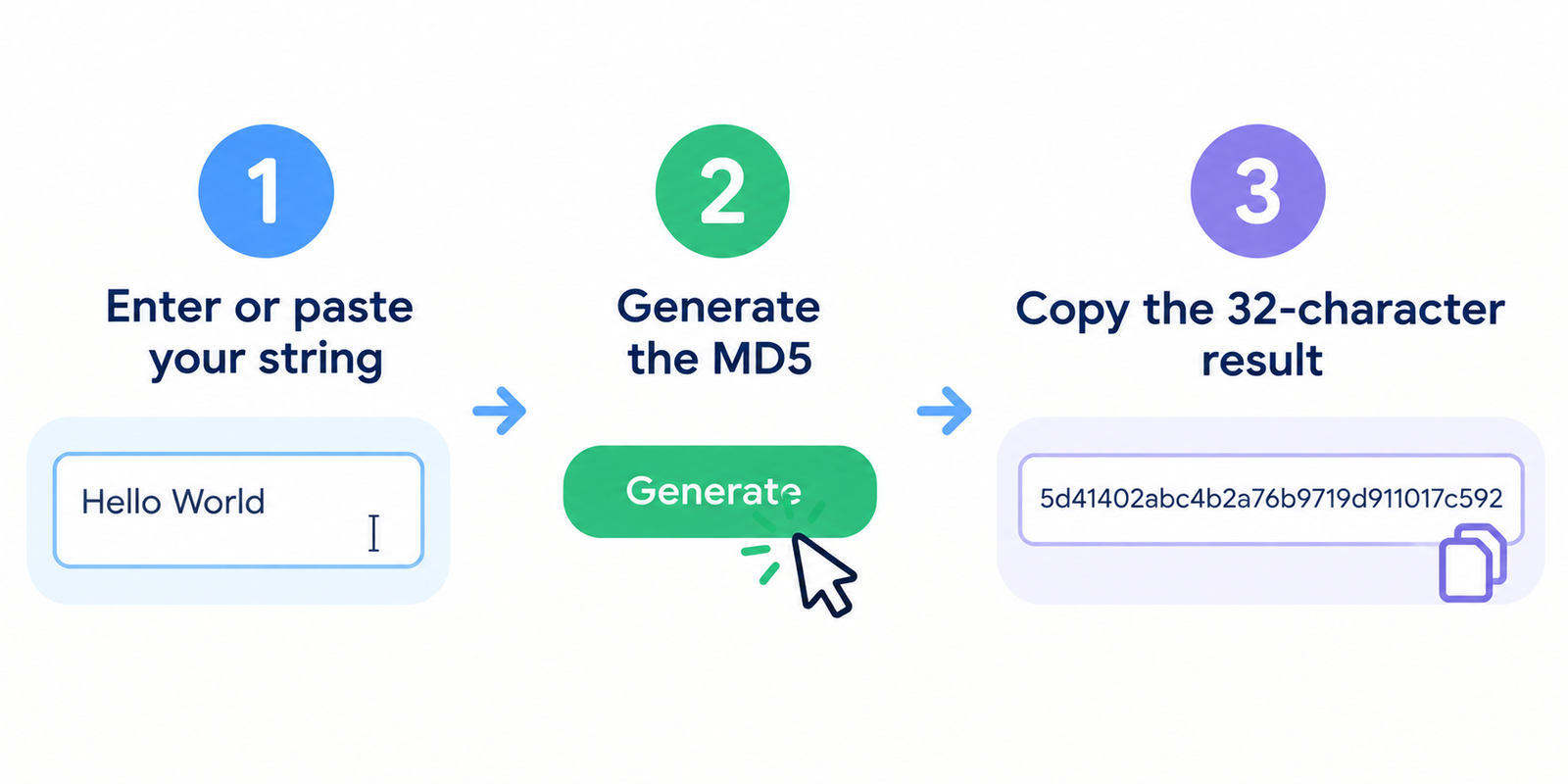
- Insira ou cole sua string
- Gere o MD5
- Copie o resultado de 32 caracteres
Até mesmo uma pequena alteração na entrada produz um hash completamente diferente.
Para que o MD5 é Útil
O MD5 ainda é amplamente utilizado para tarefas de soma de verificação sem foco em segurança:
- Confirmar se um download corresponde ao hash publicado pelo autor
- Comparar dois arquivos para ver se os conteúdos são idênticos
- Detectar corrupção acidental após uma cópia ou transferência
- Trabalhar com sistemas mais antigos que ainda esperam valores MD5
Exemplo: o texto hello gera o hash:
5d41402abc4b2a76b9719d911017c592
Importante: O MD5 Não é Segurança Moderna
O MD5 é rápido, mas não é considerado seguro para a criptografia moderna.
| Caso de uso | MD5 é apropriado? |
|---|---|
| Integridade de arquivos / verificações de corrupção acidental | Frequentemente sim |
| Detecção de arquivos duplicados exatos | Frequentemente sim |
| Armazenamento de senhas | Não |
| Assinaturas digitais / segurança contra adulteração | Não |
| Verificação de integridade de alto risco | Prefira SHA-256+ |
Fraquezas conhecidas de colisão significam que os invasores podem criar entradas diferentes com o mesmo MD5 em alguns cenários. Para senhas, use algoritmos adaptativos fortes (como bcrypt, scrypt ou Argon2). Para integridade sensível à segurança, prefira SHA-256 ou superior.
O MD5 também é unidirecional: você não pode reverter um hash de volta para o texto original.
Hash de Texto vs Hash de Arquivo
Estes são fáceis de confundir:
- Hash de texto = hash dos caracteres exatos que você digitou/colou
- Hash de arquivo = hash dos bytes brutos do arquivo
Um arquivo contendo hello pode não corresponder ao hash de texto de hello se o arquivo incluir uma quebra de linha, BOM ou codificação diferente. Ao verificar downloads, sempre faça o hash dos bytes do arquivo, e não apenas do nome do arquivo.
Dicas Práticas
- Verifique a codificação cuidadosamente ao comparar com outras ferramentas (UTF-8 é comum para texto)
- Fique atento a espaços à direita e quebras de linha — eles mudam o resultado
- Para downloads de softwares oficiais, compare com o hash publicado pelo fornecedor
- Se dois arquivos “idênticos” gerarem hashes diferentes, verifique a codificação e os caracteres ocultos
- Não cole senhas reais de produção em nenhuma ferramenta online se o seu modelo de ameaça for rigoroso; use ferramentas de linha de comando locais
Comparação Rápida de Hashes Comuns
| Algoritmo | Saída típica | Papel comum hoje |
|---|---|---|
| MD5 | 32 caracteres hex | Checksums legados, integridade rápida |
| SHA-1 | 40 caracteres hex | Apenas legado; evite para segurança |
| SHA-256 | 64 caracteres hex | Uso moderno de integridade / segurança |
FAQ
Esta ferramenta é gratuita?
Sim. Você pode gerar hashes MD5 sem criar uma conta.
Meu texto é enviado para um servidor?
Se a ferramenta for implementada no lado do cliente, a geração do hash ocorre no seu navegador. Prefira métodos locais/offline para segredos altamente sensíveis.
Dois arquivos diferentes podem ter o mesmo MD5?
Sim — colisões são possíveis com o MD5. Essa é uma das razões pelas quais ele não é confiável para segurança forte.
Por que meu hash não corresponde ao de outra ferramenta?
Diferenças de codificação, quebras de linha, espaços ou fazer o hash do nome do arquivo em vez do conteúdo são causas comuns.
Devo armazenar senhas de usuários como MD5?
Não. Use um algoritmo moderno de hash de senha projetado para essa finalidade.
Ferramentas relacionadas
- Codificador e Decodificador de URL
- Obter Código-Fonte da Página Web
- Verificador de Status do Servidor
- Verificador de Tamanho da Página
- Meu Endereço IP
Nota: O MD5 continua útil para comparações cotidianas de checksum, mas não se deve confiar nele para proteção de senhas ou verificação de alta segurança.