Free Broken Links Finder – Detect Dead Links on Any Page | Bingo Web Rabbit

Broken Links Finder


输入一个 URL


验证码

Broken Links Finder

A broken link sends visitors to a dead end — a 404 page, a timed-out server, or a resource that no longer exists. This free tool scans a webpage, checks its links, and reports the ones that fail so you can fix them before users (and crawlers) keep hitting dead ends.

How to Use It

Broken Links Finder
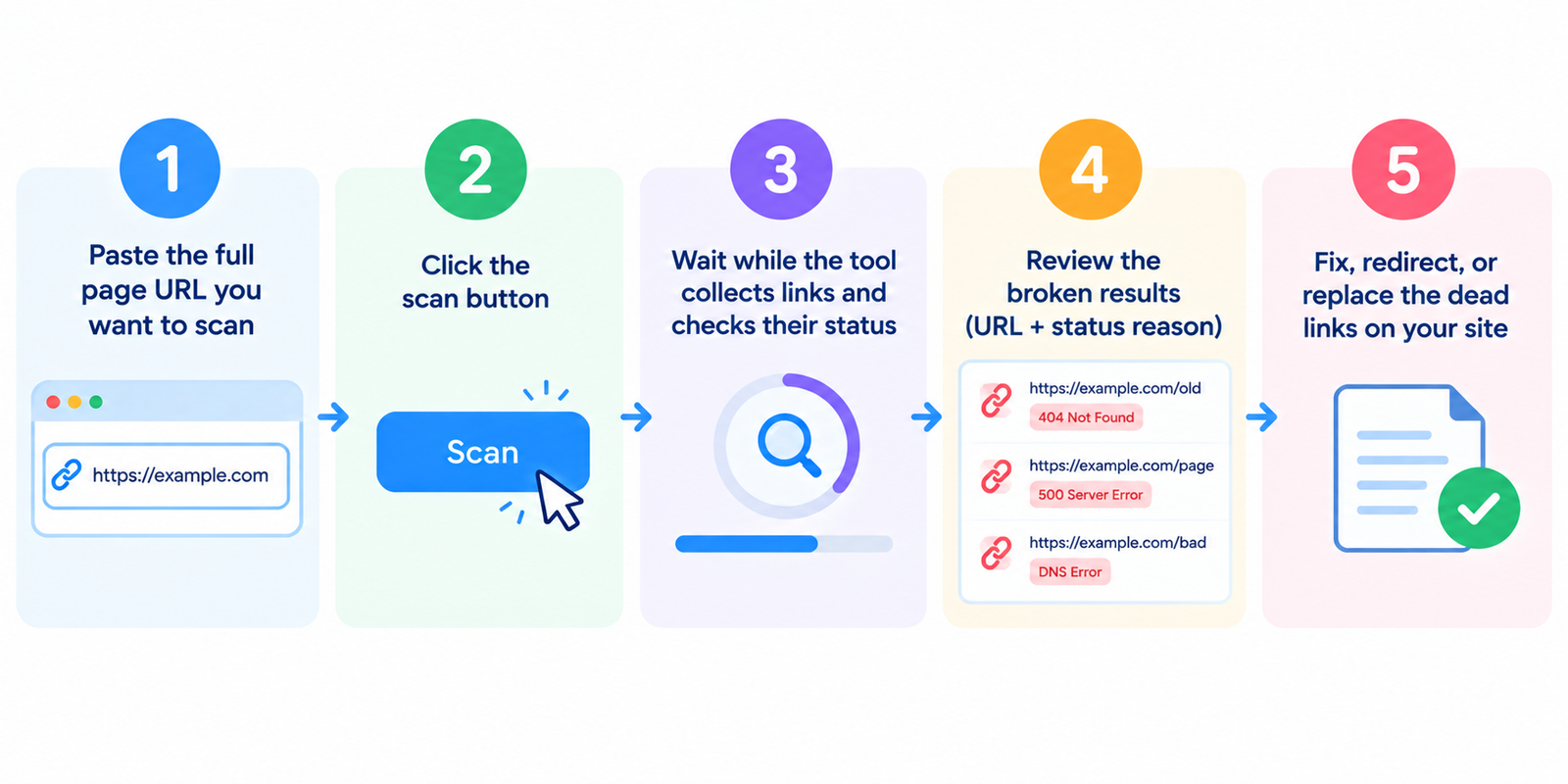
  1. Paste the full page URL you want to scan
  2. Click the scan button
  3. Wait while the tool collects links and checks their status
  4. Review the broken results (URL + status reason)
  5. Fix, redirect, or replace the dead links on your site

If batch mode is available, enter one URL per line and scan priority pages first (homepage, top posts, key landing pages).

What Counts as a Broken Link

The tool typically checks hyperlinks found in the page HTML and flags destinations that return problem responses, such as:

Status / issue What it usually means
404 Not Found Target page is missing
410 Gone Target was permanently removed
500 / 503 errors Destination server is failing
Timeout Server did not respond in time
DNS / connection failure Domain or host is unreachable
Invalid URL Malformed or incomplete link

Some 403 responses are intentional (restricted access). Treat those carefully before removing links.

Why Broken Links Matter

User experience
Dead links frustrate readers and make a site feel neglected.

Trust and conversions
Broken CTAs, product links, or resource downloads can kill momentum.

SEO hygiene
Excess internal 404s waste crawl attention and weaken internal linking structure.

Content maintenance
Old posts often accumulate dead external references over time.

Fixing broken links is one of the simplest technical cleanups with clear practical value.

Common Sources of Broken Links

  1. Deleted or renamed pages without redirects
  2. Typos in URLs
  3. Expired external resources
  4. Old affiliate or partner links
  5. Missing images/files still referenced in content
  6. HTTP links that no longer resolve cleanly
  7. Template/footer links pointing to removed pages

Navigation and footer links deserve extra priority because they can repeat sitewide.

How to Fix What You Find

Internal broken links

  • Update the href to the correct live URL, or
  • Add a 301 redirect from the old target to a relevant replacement, or
  • Remove the link if the content is gone and no alternative exists

External broken links

  • Replace with an updated source when possible
  • Remove if the reference is no longer useful
  • Avoid leaving users on repeated dead ends

After major site changes
Re-scan key templates and high-traffic pages. Migrations and redesigns are peak times for link rot.

Practical Scanning Routine

  • Scan homepage + top 10 traffic pages monthly
  • Scan any page after publishing or major edits
  • Re-check after URL structure changes
  • Keep a short fix list: link, status, action taken
  • Pair with a full Link Analyzer when you need deeper link attributes

Consistency matters more than one giant annual audit.

Limitations to Keep in Mind

  • Links added only by JavaScript may be missed
  • Login-protected destinations can’t be fully verified
  • Some servers block automated checks and can create false alarms
  • Temporary outages can look like permanent breaks — retest doubtful cases
  • mailto: and non-HTTP links are usually outside standard HTTP status checks

Manually verify important external links before large content deletions.

FAQ

Is this Broken Links Finder free?
Yes. Standard scans do not require an account.

Does it check the whole website at once?
Most free tools scan page by page. Start with important URLs or sitemap priorities.

Are all non-200 links “broken”?
Not always. Redirects can be valid. Focus on hard failures like 404/410, server errors, and timeouts.

Can broken links hurt rankings directly?
They mainly hurt usability and site quality signals. Cleaning them improves both experience and technical health.

Why does a link open for me but show as broken here?
Geo blocks, bot protection, temporary downtime, or auth requirements can cause differences.

Related tools

Note: Results reflect link status at scan time. Re-check critical links before making bulk content changes.