Pagespeed Insights Checker
Masukkan URL

PageSpeed Insights Checker
Sebuah halaman web mungkin terlihat bagus namun tetap terasa lambat.
Pemeriksa gratis ini membantu Anda menguji sinyal performa URL — termasuk hasil bergaya skor dan metrik pemuatan utama — sehingga Anda dapat menemukan apa yang membuat pengalaman pengguna menjadi lambat.
Cara Menggunakannya
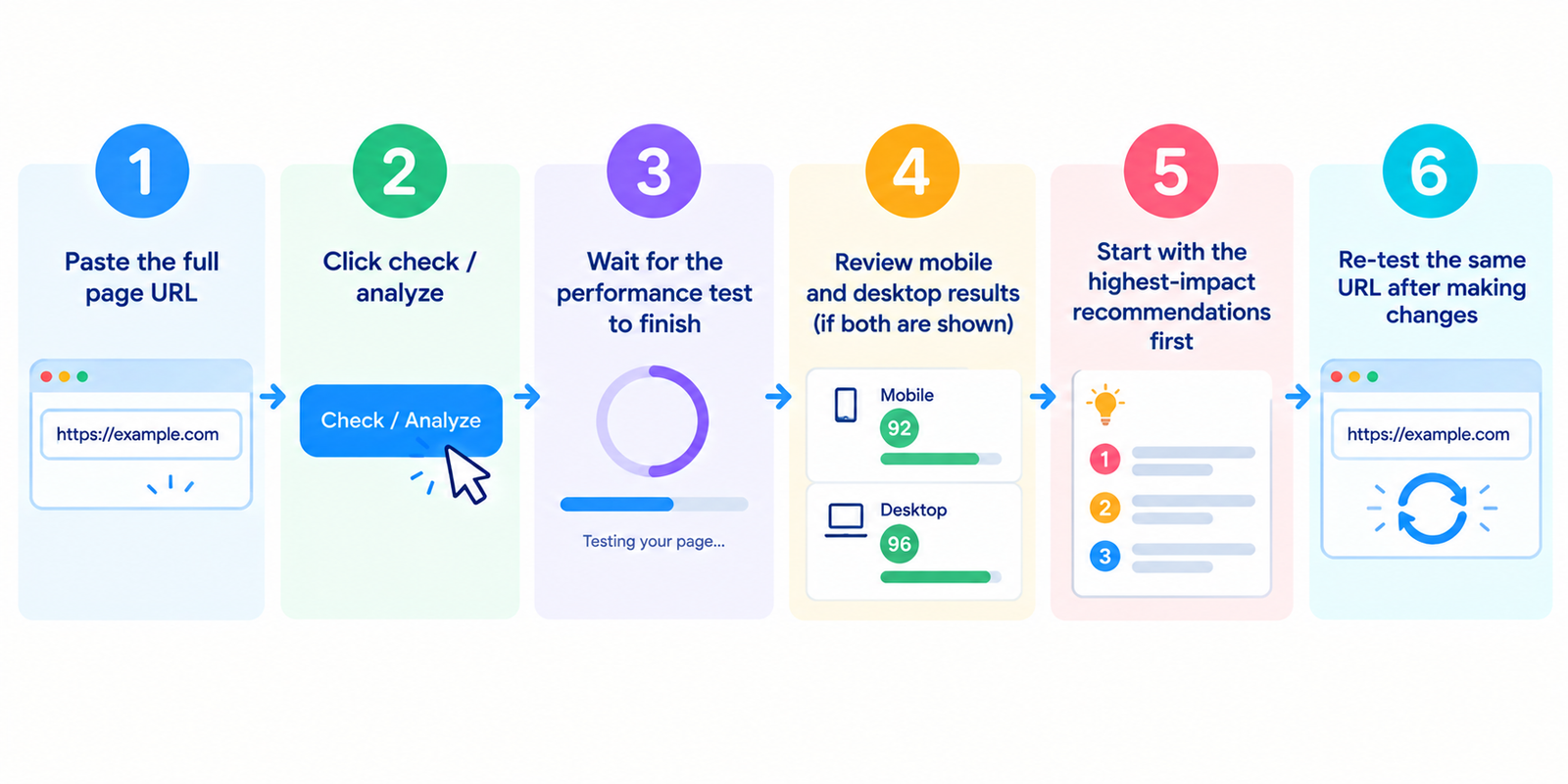
- Tempel URL halaman secara lengkap
- Klik periksa / analisis
- Tunggu hingga pengujian performa selesai
- Tinjau hasil seluler dan desktop (jika keduanya ditampilkan)
- Mulai dari rekomendasi yang memiliki dampak terbesar terlebih dahulu
- Uji ulang URL yang sama setelah melakukan perubahan
Untuk perbandingan yang bermakna, uji templat penting: halaman beranda, kategori, produk, dan artikel.
Hal yang Biasanya Termasuk dalam Jenis Laporan Ini
| Bagian | Apa yang membantu Anda memahaminya |
|---|---|
| Skor performa | Peringkat kecepatan gaya lab secara keseluruhan (sering kali 0–100) |
| Sinyal Core Web Vitals | Metrik pemuatan/interaktivitas/stabilitas yang berfokus pada pengalaman pengguna |
| Data lab | Hasil pengujian terkontrol dalam kondisi tersimulasi |
| Data lapangan (jika tersedia) | Data pengalaman pengguna nyata dari pengguna Chrome |
| Peluang | Perbaikan spesifik yang berpotensi meningkatkan kecepatan |
Data lapangan tidak selalu tersedia untuk URL dengan sedikit lalu lintas. Dalam kasus tersebut, lebih andalkan hasil lab dan pengujian berulang.
Metrik Utama yang Perlu Dipantau
LCP (Largest Contentful Paint)
Seberapa cepat konten utama yang terlihat muncul.
INP (Interaction to Next Paint)
Seberapa responsif halaman terasa setelah interaksi pengguna.
(Laporan lama mungkin masih merujuk FID di beberapa bagian; INP adalah metrik interaktivitas modern.)
CLS (Cumulative Layout Shift)
Seberapa banyak tata letak bergeser secara tak terduga saat memuat.
Metrik lab pendukung sering kali mencakup First Contentful Paint, Speed Index, Total Blocking Time, dan indikator respons server.
Bertujuanlah untuk meningkatkan pengalaman pengguna nyata — bukan sekadar mengejar skor tampilan yang sempurna.
Cara Membaca Skor Tanpa Reaksi Berlebihan
- 90+ umumnya menunjukkan performa lab yang kuat
- 50–89 berarti ada ruang untuk perbaikan
- Di bawah 50 biasanya memerlukan perbaikan prioritas
Skor seluler sering kali lebih rendah daripada desktop karena pengujian seluler menggunakan kondisi jaringan/perangkat yang lebih ketat.
Hal itu wajar. Optimalkan seluler terlebih dahulu jika memungkinkan.
Ingat juga: satu pengujian bisa bervariasi. Periksa ulang setelah ada perubahan dan bandingkan URL yang sama dari waktu ke waktu.
Masalah Umum di Balik Hasil yang Lemah
- Gambar terlalu besar atau tidak dioptimalkan
- CSS/JavaScript yang menghambat rendering (render-blocking)
- Respons server lambat / hosting lemah
- Terlalu banyak skrip pihak ketiga
- Pergeseran tata letak dari iklan, sematan (embed), atau elemen yang memuat belakangan
- Tema berat, pembangun halaman (page builder), atau kode yang tidak digunakan
- Kurangnya penelusuran dalam cache (caching) atau pengiriman yang tidak efisien
Sebagian besar situs meningkat paling cepat dengan memperbaiki bobot media, pembengkakan skrip, dan respons server terlebih dahulu.
Urutan Optimasi Praktis
- Perbaiki kesalahan kritis dan pengalihan (redirect) utama
- Kompres dan sesuaikan ukuran gambar dengan benar
- Tingkatkan respons server (caching/CDN/hosting jika diperlukan)
- Tunda (defer) atau hapus skrip yang tidak penting
- Kurangi pergeseran tata letak (atur dimensi, stabilkan konten yang lambat dimuat)
- Uji ulang dan ukur dampaknya
- Lanjutkan ke optimasi yang lebih mendetail hanya setelah mendapatkan peningkatan besar
Sejumlah kecil perbaikan berdampak tinggi biasanya lebih baik daripada puluhan penyesuaian kecil.
FAQ
Apakah PageSpeed Insights Checker ini gratis?
Ya. Pemeriksaan standar tidak memerlukan akun.
Apakah skornya sama dengan skor peringkat Google?
Tidak. Performa memengaruhi pengalaman pengguna dan dapat memengaruhi sinyal pengalaman halaman, namun peringkat bergantung pada banyak faktor.
Mengapa skor seluler jauh lebih rendah daripada desktop?
Pengujian seluler biasanya lebih terbatas. Fokuslah pada peningkatan seluler terlebih dahulu.
Mengapa data lapangan hilang?
Mungkin belum ada cukup data pengguna nyata Chrome untuk URL atau asal (origin) tersebut.
Haruskah saya mengincar skor 100/100?
Bermanfaat, namun tidak wajib. Melampaui ambang batas pengalaman pengguna nyata dan memperbaiki hambatan utama jauh lebih penting daripada kesempurnaan.
Alat Terkait
- Page Speed Checker
- Page Size Checker
- Server Status Checker
- Code to Text Ratio Checker
- Webpage Screen Resolution Simulator
Catatan: Hasil performa dapat bervariasi menurut kondisi pengujian, caching, dan faktor jaringan. Gunakan pengujian berulang pada URL penting untuk proses peningkatan yang lebih andal.