Get Source Code of Webpage | Bingo Web Rabbit

Get Source Code of Webpage


Insira um URL


CAPTCHA

Get Source Code of Webpage View HTML of Any URL

Not the pretty design. Not the images. The raw HTML. The actual code that the browser reads before turning it into something you can click.

Maybe you're learning web development and want to see how a real site structures its navigation. Maybe you're scraping data and need to inspect the HTML pattern. Maybe you suspect a site is hiding something (tracking scripts, hidden links, shady iframes).

Whatever the reason, our Get Source Code of Webpage tool gives it to you instantly.

Enter one or more URLs. Get the full HTML source code for each.

No right‑click > View Source. No digging through browser dev tools. Just enter, click, read.

Who Actually Needs a Source Code Fetcher?

Let me give you real examples. Not fake personas.

SEO auditors – You're checking a client's site for hidden links (the kind Google hates). Open the source code. Search for "display:none" or "visibility:hidden". Find the spammy footer links they're trying to hide. Bill them for the fix.

Web scrapers – You need to extract data from multiple product pages. First, fetch the HTML of each page. Look at the structure. Find the CSS selectors for price, title, description. Then write your scraper. This tool saves you from opening twenty browser tabs manually.

Security researchers – Found a suspicious domain? Fetch its source code. Look for obfuscated JavaScript. Look for hidden redirects. Look for base64 encoded strings that decode to malware. You can't find what you can't see.

Students learning HTML – You're following a tutorial. You want to see how a real website builds its header. Don't guess. Fetch the source code of a site you admire. Study it. Steal (ethically) the techniques.

Bug hunters – A site is behaving strangely. Maybe a broken script. Fetch the source code and compare it to a cached version from last week. See what changed. Find the bug.

Competitive researchers – Want to know what tracking pixels your competitors are using? Facebook Pixel? Google Analytics? Hotjar? Fetch their source code. Search for "analytics", "pixel", "tracking". Build your own stack based on what works for them.

How Our Source Code Fetcher Works (Simple & Transparent)

We don't modify the code. We don't clean it up. We don't "prettify" it (though you can copy it into any formatter yourself).

Here's exactly what happens:

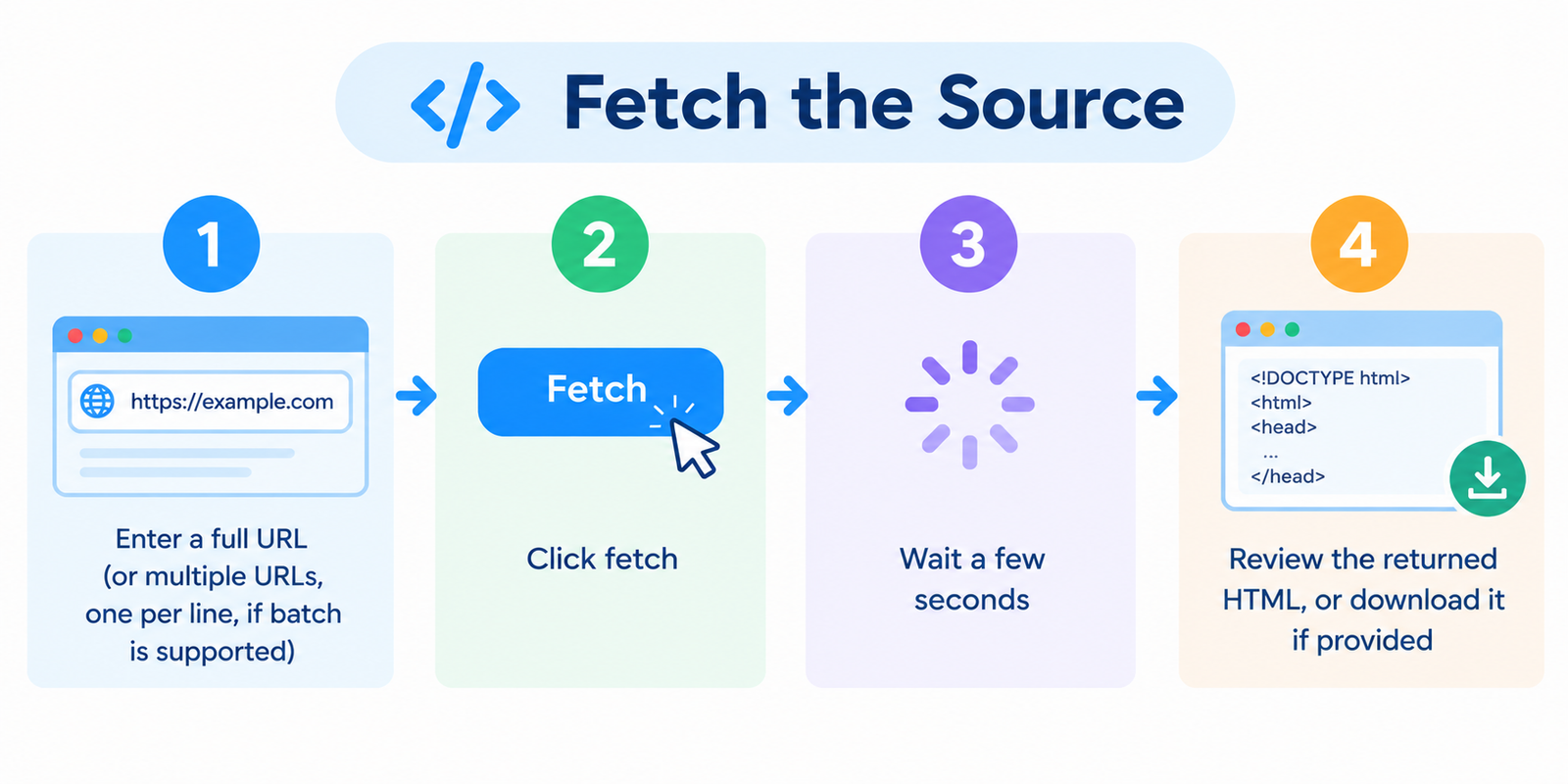
Step 1 – You enter one or more URLs. Full URLs or just domains – both work. Put each URL on a new line if you're checking multiple.

Step 2 – We send a GET request to each URL. Exactly like your browser does. We respect robots.txt (mostly – more on that below). We send a normal User‑Agent so sites don't block us.

Step 3 – We capture the raw HTML response. Not rendered. Not executed. The exact text that the server sends back. If the page has JavaScript that changes the DOM, we don't run it. This is the source, not the live DOM.

Step 4 – We display it in a clean text box. For one URL, you see the HTML right there. For multiple URLs, we give you a ZIP file with separate .html files named by domain.

Step 5 – You copy, download, or analyze. No watermarks. No limits on copying.

How to Use the Tool (Step by Step)

Step 1 – Gather your URLs. Examples:

https://bingowebrabbit.com
https://news.ycombinator.com
https://example.com/some-deep-page
http://oldsite.com (HTTP works too)

Step 2 – Open our Get Source Code of Webpage page.

Step 3 – Enter each URL on a new line. You can do just one, or several at once.

Step 4 – Click "Fetch Source Code".

Step 5 – Wait a few seconds. For one URL, the HTML appears in a box. For multiple URLs, you get a download link for a ZIP file.

Step 6 – Do whatever you need with the code. Analyze it. Save it. Diff it with another version. No restrictions.

Understanding What You Get

The output is raw HTML. That means:

  • You'll see <!DOCTYPE html> at the top if it's a proper HTML page.
  • You'll see <script> tags with JavaScript code.
  • You'll see <link> tags for CSS files.
  • You'll see commented out code (people leave notes in HTML).
  • You'll see inline styles, meta tags, and everything else.

What you won't see:

  • Dynamically added content from JavaScript (that's the DOM, not the source)
  • Rendered images (just the <img> tags)
  • CSS applied to elements (just the classes and IDs)

If you need the fully rendered page with JavaScript executed, that's a different tool (we have a "Render Page" tool – check our menu). This is for the raw source.

Real Examples from Users

An SEO freelancer was auditing a potential client's website. Client claimed "no spammy outbound links." Freelancer ran the homepage through our source code fetcher. Searched for "rel=dofollow" on external domains. Found fifteen hidden links in the footer, all to gambling sites. Client was lying. Freelancer walked away.

A student learning web development was struggling with CSS layout. They fetched the source code of a beautifully designed blog. Studied how the author structured their <header>, <main>, and <aside>. Copied the structure into their own project. Finally understood flexbox.

A security researcher found several domains in a phishing email. Fetched the source code of all of them in one batch. Searched for common phishing patterns: fake login forms, base64 obfuscated scripts, hidden redirects. Found most were active phishing sites. Reported them to Google Safe Browsing.

A small business owner wanted to see if their competitor was using the same ecommerce platform. Fetched the competitor's source code. Searched for "shopify" or "woocommerce". Found "wp-content" in the source. Competitor was on WooCommerce. Owner stopped feeling insecure about their own Shopify store.

Common Questions (Straight Answers)

What's the difference between "View Source" in my browser and this tool?
Nothing, except our tool works in batch. Your browser's View Source shows one page at a time. Ours lets you fetch several at once. Also, some sites block right‑click. Our tool works around that (we don't block, we just fetch like any other browser).

Do you execute JavaScript before fetching source?
No. We fetch exactly what the server sends. If a page loads content via AJAX after load, you won't see that in our output. That's intentional – we call this "raw source" for a reason.

What about pages that need login?
We can't log into your accounts. The source code we fetch is what a logged‑out visitor sees. If you need source code of pages behind a login, you're better off using browser dev tools while logged in.

Can I fetch source code of password‑protected pages?
No. No credentials, no access. We don't store or ask for passwords.

How big can the source code be?
We fetch pages up to 5MB in size. Most normal webpages are 200KB–1MB. If a page is enormous (like a generated JSON dump), we'll truncate and warn you.

Is this legal?
Fetching the source code of publicly accessible webpages is legal in most jurisdictions. What you do with that code – copying, republishing, scraping – might not be. We provide the tool. You're responsible for how you use it.

Is it free?
Yes. No daily limits for normal use. API available for commercial bulk usage (contact us).

Pro Tips for Power Users

Find hidden tracking codes – Fetch a site's source code. Search for "gtag", "analytics", "facebook-pixel", "hotjar". You'll see exactly what scripts are watching visitors.

Verify competitor claims – Someone says "we're built on custom framework." Fetch source code. Look for "wp-content", "shopify", "wix". The source never lies.

Check for outdated plugins – Fetch source code. Look for comment lines like <!-- Plugin Name v1.2 --> or CSS/JS filenames with version numbers. Find security vulnerabilities before they find you.

Batch compare versions – Fetch source code of your own site today. Save it. Fetch again next week. Use a diff tool (like WinMerge or VS Code diff) to see exactly what changed. Great for catching unauthorized edits.

Learn from the best – Find a site with incredible HTML structure. Fetch its source. Study how they organize classes, how they name IDs, how they structure forms. Level up your own coding.

Troubleshooting (Because Nothing's Perfect)

"No source code returned" – The site might be blocking our User‑Agent. Some sites block non‑browser requests. Try again later. Or the site might be down.

"The source code is empty or very short" – The page might redirect immediately. Fetch the redirected page instead. Or the page might be a JavaScript app that serves almost no HTML (React, Vue, etc.). In that case, you need a renderer, not a source fetcher.

"I got a 403 Forbidden error" – The site explicitly blocks our IP range. Nothing we can do. Try fetching from a different network or use a proxy.

"The ZIP file contains .html files that won't open properly" – Open them in a text editor (Notepad++, VS Code). They're plain text. Your browser might block local HTML files for security reasons. That's normal.

Why Use Our Tool Instead of Just Right‑Click > View Source?

Because right‑clicking works for one URL. Our tool works for many at once.

Because some sites disable right‑click. Our tool ignores that.

Because you might be on a phone or tablet where "View Source" is buried in menus. Our tool works on any device.

Because you might need to archive source code for later analysis. Download a ZIP of several pages in seconds.

Because you might be writing a script and need to test the HTML output of multiple URLs at once. One click, all the data.

Final Word

HTML is the language of the web. Every website you visit starts as raw source code. What you see in your browser is just that code, interpreted and styled.

Being able to see the source – quickly, in batch, without hassle – gives you superpowers.

You can:

  • Audit hidden SEO spam
  • Reverse‑engineer competitor tech stacks
  • Learn web development from real examples
  • Verify security claims
  • Archive page structures for future comparison

Our Get Source Code of Webpage tool makes all of that easy.

Enter your URLs. One per line. Click fetch. Get the raw HTML for each.

No signup. No watermarks. No "upgrade to pro" popups.

Try it now on bingowebrabbit.com. Enter a URL you're curious about. See what's actually hiding in the code.

And if you have several pages to check? Batch mode handles them all. One click, all the source code.