Search Engine Spider Simulator
Enter a URL
Search Engine Spider Simulator
People see design, layout, and interactions. Crawlers mainly work from fetched HTML: text, links, and structured signals.
This free spider simulator fetches a URL and shows a simplified, text-focused view of what a crawler can more easily access from the page source.
How to Use It
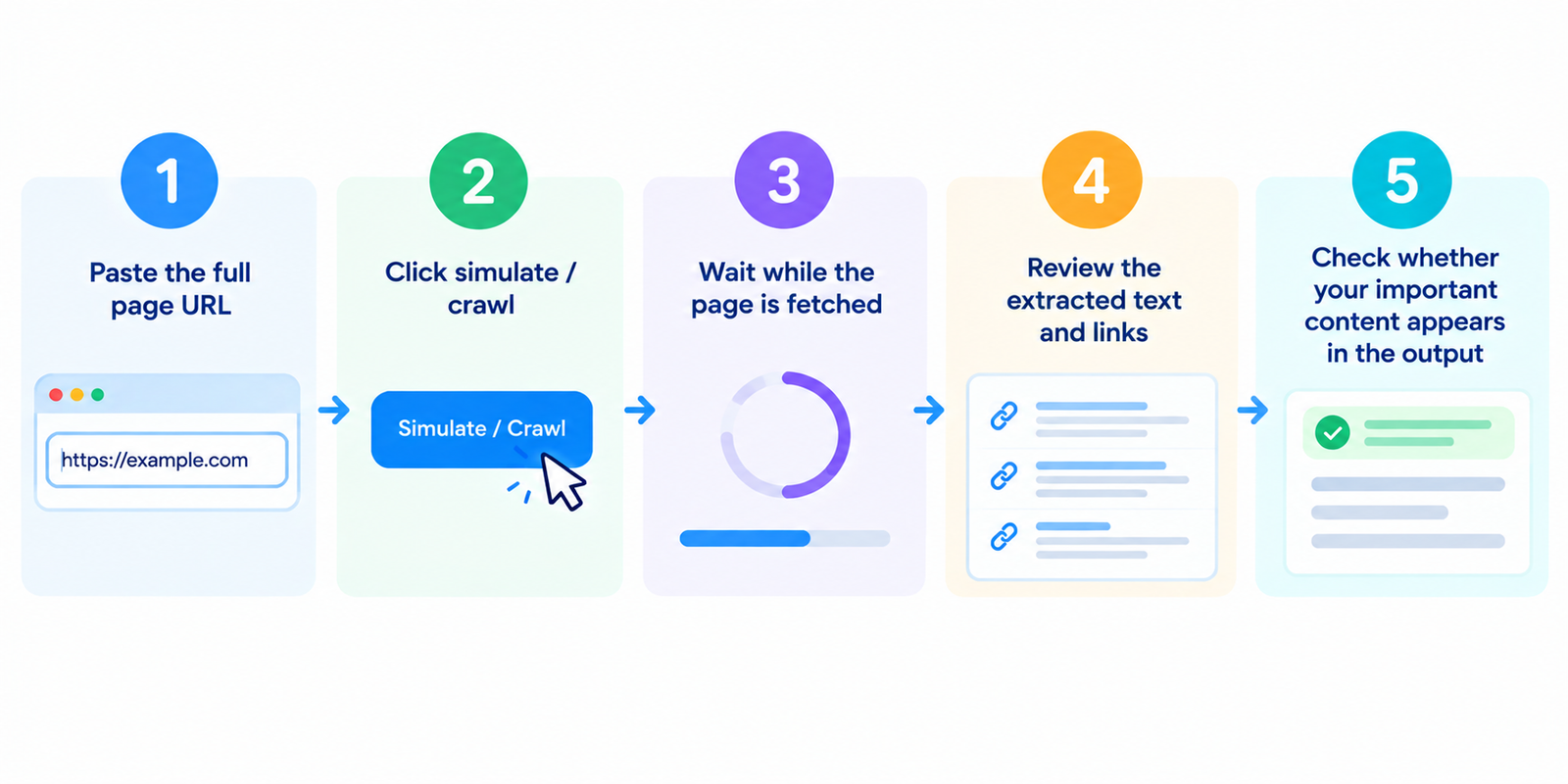
- Paste the full page URL
- Click simulate / crawl
- Wait while the page is fetched
- Review the extracted text and links
- Check whether your important content appears in the output
If batch mode is available, test key templates: homepage, category, product, and article pages.
What This Simulation Is Trying to Show
A spider-style fetch typically prioritizes:
| Element | Why it matters |
|---|---|
| Visible text from HTML | Core content available without heavy client rendering |
| Anchor links | Paths crawlers can discover next |
| Title / meta signals in source | Early on-page context in the HTML |
| Alt text | Text alternatives for images when provided |
| HTTP status | Whether the URL responds cleanly |
It usually does not rely on polished CSS layout or browser-only interactions.
Spider View vs Browser View
| Browser view | Spider-style view |
|---|---|
| Full rendered page | Source-based text extraction |
| Runs client-side scripts | May miss JS-only content |
| Sees visual design | Ignores styling |
| Interactive menus/tabs | Depends on real links in HTML |
Modern Googlebot can process JavaScript more than older crawlers did, but content that appears only after complex client rendering can still be delayed, incomplete, or harder to process. Making important content available in initial HTML remains a strong practice.
What to Check in the Results
Is your main content present?
Headings, key paragraphs, product details, and FAQs should appear in the extracted text.
Are important internal links visible as real links?
Navigation and contextual links should exist as proper href targets, not only click handlers.
Is the page mostly empty in spider view?
That can indicate heavy client-side rendering or content injected too late.
Do status codes look healthy?
200 is ideal for indexable pages. Redirect chains, 404s, and 5xx responses need attention.
Is there excessive boilerplate?
Menus and footers are normal, but unique body content should still be clear.
Common Issues This Helps Surface
- JS-dependent content — critical text missing from initial HTML
- Non-link navigation — menus that are not true crawlable links
- Thin extracted text — page looks rich visually but has little readable copy
- Broken or redirected targets — poor link destinations in the extracted list
- Missing alt text — images without textual equivalents
- Unexpected status responses — blocked, missing, or erroring URLs
Use the simulator as an early warning, then verify with Search Console and live testing.
Practical Improvement Tips
- Ensure primary content is available in server-rendered or prerendered HTML when possible
- Use real links for important navigation and internal paths
- Keep indexable pages returning clean 200 responses
- Add meaningful alt text where images convey information
- Avoid relying on “click to load” for essential SEO content
- Re-test after redesigns, theme changes, or JS framework updates
For deeper technical checks, pair this with source, status, and index tools.
FAQ
Is this tool free?
Yes. Standard simulations do not require an account.
Is this exactly how Googlebot sees my page?
Not exactly. It is a simplified spider-style view. Google’s systems are more advanced and may render JavaScript, but this remains useful for spotting major content/link gaps.
Why is my text missing here but visible in the browser?
The content may be loaded only after client-side JavaScript runs.
Can this crawl my whole website?
Most free versions analyze one page at a time. Test representative URLs from each template.
Does a good spider view guarantee rankings?
No. It only helps confirm that content and links are discoverable. Relevance, quality, and competition still decide rankings.
Related tools
- Get Source Code of Webpage
- Google Index Checker
- Broken Links Finder
- Robots.txt Generator
- Meta Tags Analyzer
Note: Simulation results depend on the fetched HTML response. Bot protection, personalization, and client-rendered apps can affect what appears.